More browsing paths
Play Time Cruise (US edition) Online
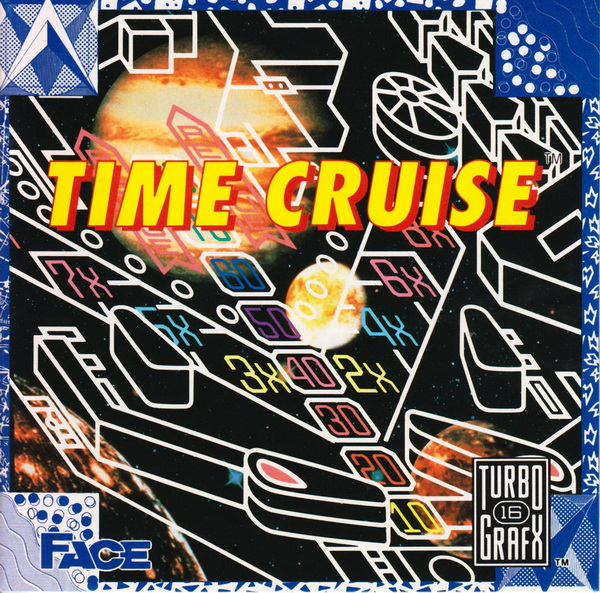
Time Cruise
Play Time Cruise Online — Connected pinball tables send the ball through side tunnels and time machines.
Browser play
TurboGrafx-16 / PC Engine — EmulatorJS controls
Default Player 1 keyboard mapping. Change keys in Controller Settings.
| Console button | Keyboard |
|---|---|
| ↑ / ↓ / ← / → | ↑ / ↓ / ← / → |
| I / II | Z / X |
| RUN / SELECT | Enter / V |
Open Controller Settings to configure your keyboard or gamepad. Touch controls are available on mobile.
How to Play Time Cruise
Quick start
Press RUN to start. Learn down-to-launch and the left and right flippers before aiming at a time machine.
Controls
Left operates the left flippers, I the right flippers, and down launches a ball. II nudges the table from the right; RUN starts or pauses.
Time Cruise — About this game
Connected pinball tables send the ball through side tunnels and time machines. Hitting the right devices opens visits to different eras, where bonus challenges offer extra scoring opportunities beyond simply keeping the ball alive.
Time Cruise Game manuals
Cheats
No cheats have been added for this edition.
Player verification and sources
Browser play was reviewed before this edition was published in the catalogue. The date below is the catalogue publication date, not the game’s original release date.
- Browser test and catalogue publication date
- Browsers and devices
- PC: Chrome, Edge and Firefox. Mobile: Chrome on Android and Safari on iPhone and iPad.
- Player engine and core
- EmulatorJS 4.3.0-pre · pce
- Tested by
- rwEmulator
Sources and editorial basis
rwEmulator reviews edition metadata, release information, game manuals and first-hand browser-play notes. Available manuals are linked below; the editorial policy explains how facts are checked and corrections are handled.