More browsing paths
Play Populous: The Promised Lands (Japan edition · Japanese) Online
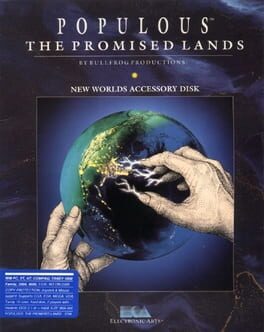
Populous - The Promised Lands
Play Populous: The Promised Lands Online — Shape the landscape to strengthen your followers, expand settlements and overcome a rival deity across unusual worlds.
Browser play
PC Engine CD / TurboGrafx-CD — EmulatorJS controls
Default Player 1 keyboard mapping. Change keys in Controller Settings.
| Console button | Keyboard |
|---|---|
| ↑ / ↓ / ← / → | ↑ / ↓ / ← / → |
| I / II | Z / X |
| RUN / SELECT | Enter / V |
Open Controller Settings to configure your keyboard or gamepad. Touch controls are available on mobile.
How to Play Populous: The Promised Lands
Quick start
Choose a world and inspect the land around your followers. Level a connected patch for settlement, allow the population to grow and use disruptive powers only when they support a clear expansion plan.
Controls
The direction pad moves the cursor. Use the action buttons to raise or lower selected land and choose divine commands through the interface. Follow the current tool’s cursor before changing terrain.
Populous: The Promised Lands — About this game
The player influences a population indirectly by changing the land it inhabits. Flat, usable ground supports settlement, while awkward terrain limits how the followers can grow. As the population strengthens, divine powers provide further ways to disrupt a rival and push the contest toward its conclusion. The Promised Lands content brings distinctive landscapes to the Populous structure, changing the appearance of the world without removing the importance of terrain management. A useful opening focuses on giving nearby followers enough continuous ground to establish themselves. Later, compare the cost of a power with what it will actually change for the population. Watching the map as a living whole is more useful than treating each small settlement in isolation.
Cheats
No cheats have been added for this edition.
Player verification and sources
Browser play was reviewed before this edition was published in the catalogue. The date below is the catalogue publication date, not the game’s original release date.
- Browser test and catalogue publication date
- Browsers and devices
- PC: Chrome, Edge and Firefox. Mobile: Chrome on Android and Safari on iPhone and iPad.
- Player engine and core
- EmulatorJS 4.3.0-pre · pce
- Tested by
- rwEmulator
Sources and editorial basis
rwEmulator reviews edition metadata, release information, game manuals and first-hand browser-play notes. Available manuals are linked below; the editorial policy explains how facts are checked and corrections are handled.