More browsing paths
Play Super CD-ROM^2 Taiken Soft Shuu (Japan edition · Japanese) Online
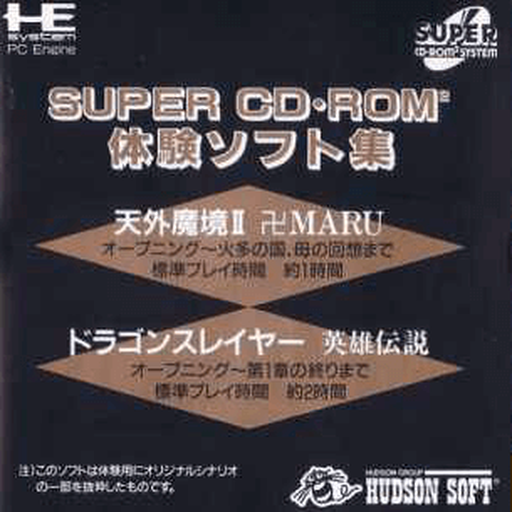
Super CD-ROM^2 Taiken Soft Shuu
Play Super CD-ROM^2 Taiken Soft Shuu Online — Explore a sampler disc’s menu and try the available introductions to Super CD-ROM² software.
Browser play
PC Engine CD / TurboGrafx-CD — EmulatorJS controls
Default Player 1 keyboard mapping. Change keys in Controller Settings.
| Console button | Keyboard |
|---|---|
| ↑ / ↓ / ← / → | ↑ / ↓ / ← / → |
| I / II | Z / X |
| RUN / SELECT | Enter / V |
Open Controller Settings to configure your keyboard or gamepad. Touch controls are available on mobile.
How to Play Super CD-ROM^2 Taiken Soft Shuu
Quick start
Start the disc and choose a demonstration from the menu. Read that sample’s title-screen instructions, play its available section, and return to the disc menu to try another.
Controls
Use the direction pad to highlight commands, I to confirm, and II to cancel or return to the previous menu. RUN starts from the title screen.
Super CD-ROM^2 Taiken Soft Shuu — About this game
This sampler is organized around trying selected software rather than completing one full retail adventure. Its opening menu is the starting point for choosing an included demonstration, and each selected program supplies its own rules and stopping point. The practical goal is to learn a game’s opening idea and decide which section to explore next. Return to the sampler menu between demonstrations instead of expecting a single continuous campaign. Read the individual start screens because the same action button can have a different purpose in another sample, and treat the limited preview content as a self-contained introduction to the featured software.
Cheats
No cheats have been added for this edition.
Player verification and sources
Browser play was reviewed before this edition was published in the catalogue. The date below is the catalogue publication date, not the game’s original release date.
- Browser test and catalogue publication date
- Browsers and devices
- PC: Chrome, Edge and Firefox. Mobile: Chrome on Android and Safari on iPhone and iPad.
- Player engine and core
- EmulatorJS 4.3.0-pre · pce
- Tested by
- rwEmulator
Sources and editorial basis
rwEmulator reviews edition metadata, release information, game manuals and first-hand browser-play notes. Available manuals are linked below; the editorial policy explains how facts are checked and corrections are handled.