More browsing paths
Play Pia Carrot e Youkoso!! 2.2 (Japan edition · Japanese) Online
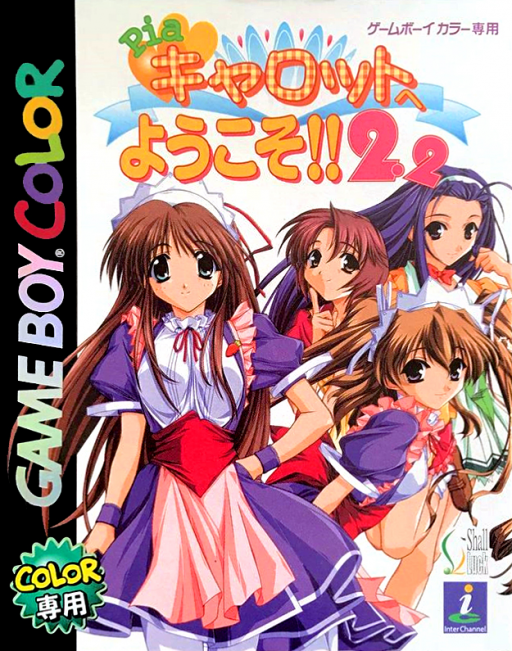
Pia Carrot e Youkoso!! 2.2
Play Pia Carrot e Youkoso!! 2.2 online on GBC. Pia Carrot e Youkoso!
Browser play
Game Boy Color (GBC) — EmulatorJS controls
Default Player 1 keyboard mapping. Change keys in Controller Settings.
| Console button | Keyboard |
|---|---|
| ↑ / ↓ / ← / → | ↑ / ↓ / ← / → |
| A / B | Z / X |
| START / SELECT | Enter / V |
Open Controller Settings to configure your keyboard or gamepad. Touch controls are available on mobile.
How to Play Pia Carrot e Youkoso!! 2.2
Quick start
Read the opening return to the restaurant, learn the available daily choices and follow one character’s conversations. Try a work activity when offered and read its rules before starting.
Controls
D-pad selects replies and menu choices. A advances text or confirms; B returns or cancels where allowed. Work activities use their displayed action prompts. Use the available save menu before important choices.
Pia Carrot e Youkoso!! 2.2 — About this game
Read the situation before choosing a reply and keep track of who you have spent time with. A choice that makes sense for one conversation may not support the same direction later, so follow the context rather than always selecting the first option. Read each work minigame separately, then return to the story with an idea of the route you want to pursue.
Cheats
No cheats have been added for this edition.
Player verification and sources
Browser play was reviewed before this edition was published in the catalogue. The date below is the catalogue publication date, not the game’s original release date.
- Browser test and catalogue publication date
- Browsers and devices
- PC: Chrome, Edge and Firefox. Mobile: Chrome on Android and Safari on iPhone and iPad.
- Player engine and core
- EmulatorJS 4.3.0-pre · gb
- Tested by
- rwEmulator
Sources and editorial basis
rwEmulator reviews edition metadata, release information, game manuals and first-hand browser-play notes. Available manuals are linked below; the editorial policy explains how facts are checked and corrections are handled.