More browsing paths
Play Picross 3D (US edition · English / French / Spanish) Online
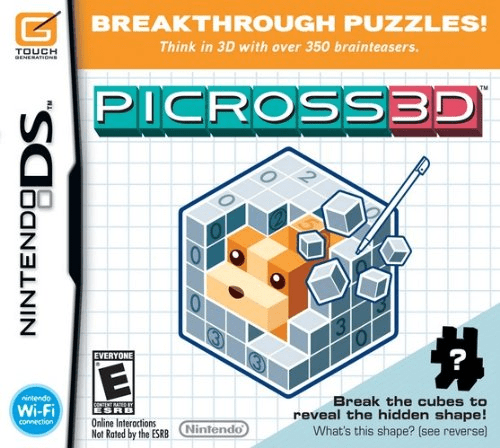
Picross 3D
Play Picross 3D online. Rotate and slice blocks, read number clues and chip away cubes to reveal hidden sculptures in the original Nintendo DS puzzle game.
Browser play
Nintendo DS (NDS) — EmulatorJS controls
Default Player 1 keyboard mapping. Change keys in Controller Settings.
| Console button | Keyboard |
|---|---|
| ↑ / ↓ / ← / → | ↑ / ↓ / ← / → |
| A / B / X / Y | Z / X / A / S |
| L / R | Q / E |
| START / SELECT | Enter / V |
| Microphone | Not assigned |
Open Controller Settings to configure your keyboard or gamepad. Touch controls are available on mobile.
How to Play Picross 3D
Quick start
Create a profile and begin the tutorial course. Learn the hammer and paint controls before tackling the first simple block. Start with zero clues to remove empty lines, mark cubes confirmed by intersecting clues and rotate to check other faces. Follow the later lessons for circle and square hints. START opens the pause menu and stops the puzzle timer.
Controls
Drag with the stylus to rotate the block when no tool is held. Hold D-pad up or X while touching cubes to break them; hold right or Y to paint cubes that should remain. Use the slice controls to examine inner layers. START pauses. Ordinary, circled and boxed clues count the total remaining cubes in their line, with one, two, or at least three separate groups respectively.
Picross 3D — About this game
Instead of filling a flat picture, you remove cubes from a solid block. Each numbered line tells you how many cubes remain: an ordinary number forms one continuous group, a circled number exactly two groups and a boxed number three or more. Rotating and slicing the block exposes clues on hidden faces. Marking known cubes helps protect the shape while you work. The finished sculpture rewards careful deduction rather than guessing at what it resembles.
Picross 3D Game manuals
Cheats
No cheats have been added for this edition.
Player verification and sources
Browser play was reviewed before this edition was published in the catalogue. The date below is the catalogue publication date, not the game’s original release date.
- Browser test and catalogue publication date
- Browsers and devices
- PC: Chrome, Edge and Firefox. Mobile: Chrome on Android and Safari on iPhone and iPad.
- Player engine and core
- EmulatorJS 4.3.0-pre · nds
- Tested by
- rwEmulator
Sources and editorial basis
rwEmulator reviews edition metadata, release information, game manuals and first-hand browser-play notes. Available manuals are linked below; the editorial policy explains how facts are checked and corrections are handled.