More browsing paths
Play Picross DS (US edition · English / French / Spanish) Online
Picross DS
Play Picross DS online. Solve row and column clues, reveal pixel pictures and practise with Easy puzzles, larger grids and Daily Picross challenges.
Browser play
Nintendo DS (NDS) — EmulatorJS controls
Default Player 1 keyboard mapping. Change keys in Controller Settings.
| Console button | Keyboard |
|---|---|
| ↑ / ↓ / ← / → | ↑ / ↓ / ← / → |
| A / B / X / Y | Z / X / A / S |
| L / R | Q / E |
| START / SELECT | Enter / V |
| Microphone | Not assigned |
Open Controller Settings to configure your keyboard or gamepad. Touch controls are available on mobile.
How to Play Picross DS
Quick start
Open Picross, complete the tutorial and begin with an Easy puzzle. Look for a row whose clue fills its entire width, then compare the marked cells with the crossing columns. Put X marks only where a cell is certainly empty. Use START for the pause menu and Quick Save if you need to stop a puzzle.
Controls
Choose stylus or button control in Game Settings. In button mode, D-pad moves the cursor, A fills a square and B places an X; X zooms large puzzles and START opens the pause menu. With the stylus, choose the fill or X-mark tool and touch the intended cells. Read clues in order and keep separate filled runs apart with blank squares.
Picross DS — About this game
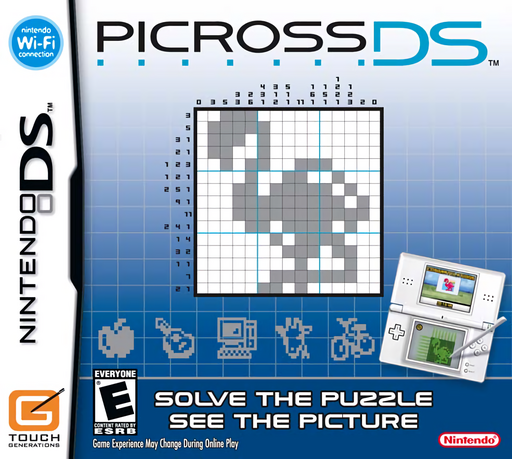
Each puzzle hides a picture in a grid. The numbers tell you the lengths of filled runs, with at least one blank square separating adjacent runs. Crossing row and column deductions reveals which squares belong to the image and which can be marked empty. Easy grids introduce the logic before larger boards demand more careful counting. Daily Picross offers shorter exercises, while My Picross lets you make your own designs.
Picross DS Game manuals
Cheats
No cheats have been added for this edition.
Player verification and sources
Browser play was reviewed before this edition was published in the catalogue. The date below is the catalogue publication date, not the game’s original release date.
- Browser test and catalogue publication date
- Browsers and devices
- PC: Chrome, Edge and Firefox. Mobile: Chrome on Android and Safari on iPhone and iPad.
- Player engine and core
- EmulatorJS 4.3.0-pre · nds
- Tested by
- rwEmulator
Sources and editorial basis
rwEmulator reviews edition metadata, release information, game manuals and first-hand browser-play notes. Available manuals are linked below; the editorial policy explains how facts are checked and corrections are handled.