More browsing paths
Play Pictionary - The Game of Video Quick Draw (US edition · English) Online
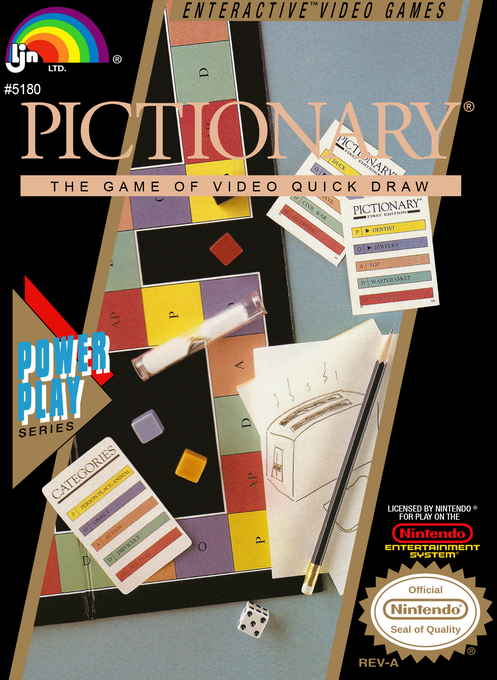
Pictionary - The Game of Video Quick Draw
Play Pictionary online. Reveal pictures in arcade mini-games, enter your guesses or draw clues for a team. Learn the NES setup, spelling and sketch controls.
Browser play
Nintendo Entertainment System (NES) / Famicom — EmulatorJS controls
Default Player 1 keyboard mapping. Change keys in Controller Settings.
| Console button | Keyboard |
|---|---|
| ↑ / ↓ / ← / → | ↑ / ↓ / ← / → |
| A / B | Z / X |
| START / SELECT | Enter / V |
Open Controller Settings to configure your keyboard or gamepad. Touch controls are available on mobile.
How to Play Pictionary - The Game of Video Quick Draw
Quick start
Choose REGULAR GAME and press START. Use SELECT to set one to four teams and START to confirm, then choose ONE or MORE people per team. For a first solo session, use one team with one person. In name entry, Left/Right chooses a letter, A enters it, B erases and START finishes. Play the selected mini-game to reveal the picture, then spell your guess before the 45-second answer timer expires. If you want to draw clues for another person, choose MORE players per team or try Drawing Practice.
Controls
Menus: SELECT changes the displayed choice and START confirms. Text entry: Left/Right selects letters, A enters and B deletes. Mini-games: Left/Right moves; A fires in Paint Zombies, Up picks up crates and Down drops them in Warehouse Shuffle, and B jumps in Energy Capsules. Drawing: Left/Right rotates the cursor, A draws forward, B moves without drawing, Up/Down places small/large circles, SELECT erases the last shape, and SELECT+START clears the picture. START advances the clue/drawing stages or reports that the word was guessed; it is not a universal pause button.
Pictionary - The Game of Video Quick Draw — About this game
Pictionary on NES offers more than drawing a clue on a blank screen. In Regular Game, teams move around a digital board, with short arcade challenges revealing pieces of a picture that you must identify. Better performance uncovers more of the clue, and the word-entry phase gives you a limited time to spell an answer. When a team has at least two people, drawing rounds are added so one person can sketch while the others guess. A one-person team instead plays the picture-revealing games, making a solo session possible. Alternate Game lets you supply your own word cards, while Drawing Practice is a separate way to learn the directional drawing tool without a full board-game competition.
Cheats
No cheats have been added for this edition.
Player verification and sources
Browser play was reviewed before this edition was published in the catalogue. The date below is the catalogue publication date, not the game’s original release date.
- Browser test and catalogue publication date
- Browsers and devices
- PC: Chrome, Edge and Firefox. Mobile: Chrome on Android and Safari on iPhone and iPad.
- Player engine and core
- EmulatorJS 4.3.0-pre · nes
- Tested by
- rwEmulator
Sources and editorial basis
rwEmulator reviews edition metadata, release information, game manuals and first-hand browser-play notes. Available manuals are linked below; the editorial policy explains how facts are checked and corrections are handled.