More browsing paths
Play PictoImage (US edition · English / French / German / Spanish / Italian) Online
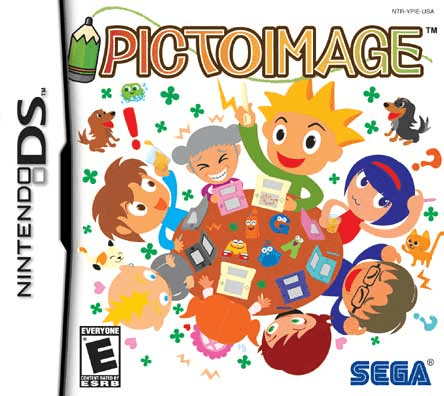
PictoImage
Play PictoImage online: guess hand-drawn pictures, practise touch-screen answers and learn how to start the Nintendo DS drawing puzzle game.
Browser play
Nintendo DS (NDS) — EmulatorJS controls
Default Player 1 keyboard mapping. Change keys in Controller Settings.
| Console button | Keyboard |
|---|---|
| ↑ / ↓ / ← / → | ↑ / ↓ / ← / → |
| A / B / X / Y | Z / X / A / S |
| L / R | Q / E |
| START / SELECT | Enter / V |
| Microphone | Not assigned |
Open Controller Settings to configure your keyboard or gamepad. Touch controls are available on mobile.
How to Play PictoImage
Quick start
On first use, select a character, enter a nickname and touch OK. Choose single-player play to practise identifying pictures. Study the drawing, enter a likely word with the on-screen keyboard and submit using the displayed control. Try the handwriting input after you are comfortable with answering.
Controls
Use the stylus to select screen options, enter letters on the keyboard or write them in the answer area. In drawing activities, draw on the touch screen. START opens menus. Follow the visible answer and drawing controls for the current activity.
PictoImage — About this game
PictoImage turns a simple sketch into a word puzzle. Its solo play asks you to identify pictures made by different people, so a few rough lines can demand as much thought as a detailed drawing. You answer with the touch screen, either writing letters or using the on-screen keyboard. Looking at the outline, position and relationship between shapes can help when an image seems unclear. Drawing and guessing also form the basis of its party activities, including passing a picture along a chain of players. A short solo session is a useful way to become comfortable with entering answers before trying a drawing activity.
PictoImage Game manuals
Cheats
No cheats have been added for this edition.
Player verification and sources
Browser play was reviewed before this edition was published in the catalogue. The date below is the catalogue publication date, not the game’s original release date.
- Browser test and catalogue publication date
- Browsers and devices
- PC: Chrome, Edge and Firefox. Mobile: Chrome on Android and Safari on iPhone and iPad.
- Player engine and core
- EmulatorJS 4.3.0-pre · nds
- Tested by
- rwEmulator
Sources and editorial basis
rwEmulator reviews edition metadata, release information, game manuals and first-hand browser-play notes. Available manuals are linked below; the editorial policy explains how facts are checked and corrections are handled.