More browsing paths
Play Piglet's Big Game (US edition · English) Online
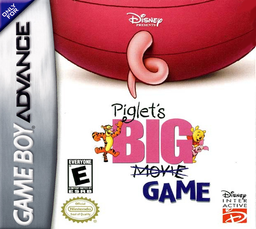
Piglet's Big Game
Play Piglet's Big Game online on GBA, enter Pooh and friends’ dreams, solve item puzzles, collect cookies and use Brave Faces against Heffalumps and Woozles.
Browser play
Game Boy Advance (GBA) — EmulatorJS controls
Default Player 1 keyboard mapping. Change keys in Controller Settings.
| Console button | Keyboard |
|---|---|
| ↑ / ↓ / ← / → | ↑ / ↓ / ← / → |
| A / B | Z / X |
| L / R | Q / E |
| START / SELECT | Enter / V |
Open Controller Settings to configure your keyboard or gamepad. Touch controls are available on mobile.
How to Play Piglet's Big Game
Quick start
Walk Piglet to the sparkling storybook, choose New Game and begin Pooh’s dream. Pooh first asks for the jam pot in his pantry, so explore the rooms, interact with sparkling objects and bring it back. Search brown-sparkling scenery for cookies, buy Brave Faces before harder encounters and write down the coloured-symbol password awarded after completing a dream.
Controls
D-pad moves and pushes movable objects. A interacts, picks up objects, kicks brown-sparkling hiding places and enters Brave mode when warned. Hold B with D-pad to look into the next area. L/R uses the two carried items shown on the mini-map. SELECT opens the mini-map with courage, cookies, bottles and exits; START pauses. Brave mode uses the displayed button sequence.
Piglet's Big Game Game manuals
Cheats
No cheats have been added for this edition.
Player verification and sources
Browser play was reviewed before this edition was published in the catalogue. The date below is the catalogue publication date, not the game’s original release date.
- Browser test and catalogue publication date
- Browsers and devices
- PC: Chrome, Edge and Firefox. Mobile: Chrome on Android and Safari on iPhone and iPad.
- Player engine and core
- EmulatorJS 4.3.0-pre · gba
- Tested by
- rwEmulator
Sources and editorial basis
rwEmulator reviews edition metadata, release information, game manuals and first-hand browser-play notes. Available manuals are linked below; the editorial policy explains how facts are checked and corrections are handled.