More browsing paths
Play Pinball Quest (Japan edition · Japanese) Online
Pinball Quest
Play NES Pinball Quest online. Climb the castle, spend gold on flippers and stoppers, or practise on three themed tables. Find the flipper controls, table movement and item commands here.
Browser play
Nintendo Entertainment System (NES) / Famicom — EmulatorJS controls
Default Player 1 keyboard mapping. Change keys in Controller Settings.
| Console button | Keyboard |
|---|---|
| ↑ / ↓ / ← / → | ↑ / ↓ / ← / → |
| A / B | Z / X |
| START / SELECT | Enter / V |
Open Controller Settings to configure your keyboard or gamepad. Touch controls are available on mobile.
How to Play Pinball Quest
Quick start
Select RPG Mode with the D-pad and A. Launch the ball with A, then use D-pad left and A as the left and right flippers. Begin by learning the courtyard’s rebounds and moving the flippers up or down to match the ball’s position. Save some gold for a stopper at the shop. Buying one does not place it automatically: open SELECT’s item screen, choose it with the D-pad and A, pick a side when asked and press B to return.
Controls
D-pad left operates the left flipper; A operates the right and launches the ball. Up/down relocate the flippers on tables with movable positions; Viva! Golf is an exception. B shakes the table. START pauses. SELECT opens RPG Mode’s item window. Use the D-pad and A to choose and activate an item, including its side when required, then B to close the window. Menu selections use the D-pad, A to confirm and B to cancel.
Pinball Quest — About this game
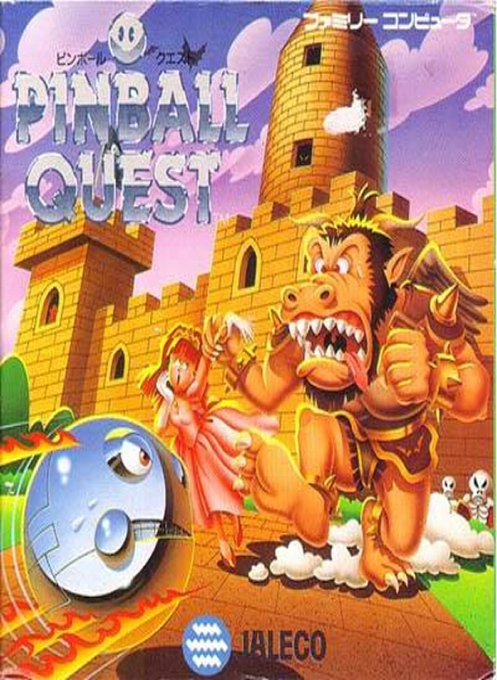
Pinball Quest mixes a castle rescue with the precise rebounds of pinball. The RPG route offers six linked stages, each with enemies and a boss barring further progress. Points become gold for the Black Market, so a useful spell of bumper hits can fund equipment rather than merely enlarge a score. Stronger flippers improve your attacks, while different stoppers protect the side lanes or the gap between the flippers. A fall weakens your attack power, and moving the flippers between upper and lower positions is part of staying in control. Away from the quest, Pop! Pop!, Circus and Viva! Golf present three themed tables for straightforward score play and their own small bonus challenges.
Cheats
No cheats have been added for this edition.
Player verification and sources
Browser play was reviewed before this edition was published in the catalogue. The date below is the catalogue publication date, not the game’s original release date.
- Browser test and catalogue publication date
- Browsers and devices
- PC: Chrome, Edge and Firefox. Mobile: Chrome on Android and Safari on iPhone and iPad.
- Player engine and core
- EmulatorJS 4.3.0-pre · nes
- Tested by
- rwEmulator
Sources and editorial basis
rwEmulator reviews edition metadata, release information, game manuals and first-hand browser-play notes. Available manuals are linked below; the editorial policy explains how facts are checked and corrections are handled.