More browsing paths
Play Pixeline - Skole-Hjaelp - Laer at Stave - Stavning eller Kaos (Denmark edition · Danish) Online
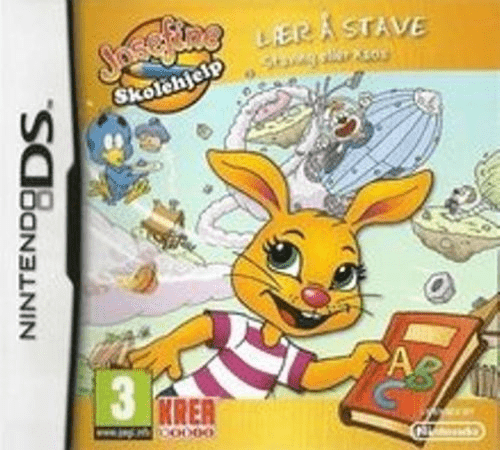
Pixeline - Skole-Hjaelp - Laer at Stave - Stavning eller Kaos
Play Pixeline - Skole-Hjaelp - Laer at Stave - Stavning eller Kaos online. Solve Danish spelling challenges and gather the parts of Nick Spudt’s rocket.
Browser play
Nintendo DS (NDS) — EmulatorJS controls
Default Player 1 keyboard mapping. Change keys in Controller Settings.
| Console button | Keyboard |
|---|---|
| ↑ / ↓ / ← / → | ↑ / ↓ / ← / → |
| A / B / X / Y | Z / X / A / S |
| L / R | Q / E |
| START / SELECT | Enter / V |
| Microphone | Not assigned |
Open Controller Settings to configure your keyboard or gamepad. Touch controls are available on mobile.
How to Play Pixeline - Skole-Hjaelp - Laer at Stave - Stavning eller Kaos
Quick start
Choose a short activity and read or hear its task. Complete one response, check the feedback and repeat the difficult part before moving to the next challenge.
Controls
Use the DS touch selections and the current activity’s displayed response controls. Choose, move or enter an answer only as its instructions request; listen again before confirming an uncertain response.
Pixeline - Skole-Hjaelp - Laer at Stave - Stavning eller Kaos — About this game
Travel through Sprogland helping Pixeline gather the rocket parts, bolts and nuts needed by Nick Spudt. Word activities supply the challenge: practise spelling, syllables, alphabetical order and the letters that complete a word. Other tasks distinguish vowels and consonants or sort Danish nouns by their article. Choose a suitable difficulty and finish one exercise before looking for the next part. Listen to the Danish prompt, compare the available letters and submit a deliberate answer rather than guessing rapidly. A repeated mistake is a reason to review the word’s sound and structure before continuing the rocket-building quest.
Pixeline - Skole-Hjaelp - Laer at Stave - Stavning eller Kaos Game manuals
Cheats
No cheats have been added for this edition.
Player verification and sources
Browser play was reviewed before this edition was published in the catalogue. The date below is the catalogue publication date, not the game’s original release date.
- Browser test and catalogue publication date
- Browsers and devices
- PC: Chrome, Edge and Firefox. Mobile: Chrome on Android and Safari on iPhone and iPad.
- Player engine and core
- EmulatorJS 4.3.0-pre · nds
- Tested by
- rwEmulator
Sources and editorial basis
rwEmulator reviews edition metadata, release information, game manuals and first-hand browser-play notes. Available manuals are linked below; the editorial policy explains how facts are checked and corrections are handled.