More browsing paths
Play Planet Monsters (Europe edition · English / French / German / Spanish / Italian / Dutch) Online
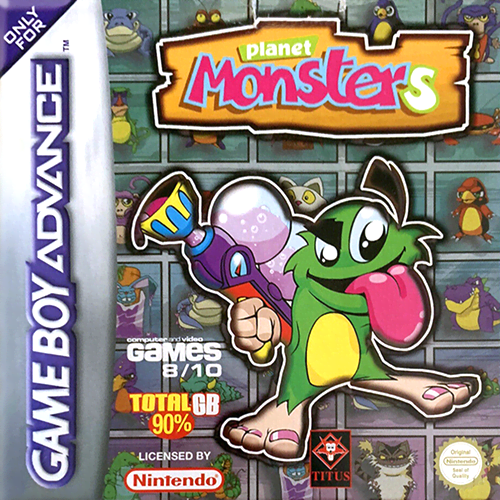
Planet Monsters
Play Planet Monsters online on GBA, push blocks, freeze and kick rivals, use bombs and bonuses, defeat world bosses and tackle Championship or single arenas.
Browser play
Game Boy Advance (GBA) — EmulatorJS controls
Default Player 1 keyboard mapping. Change keys in Controller Settings.
| Console button | Keyboard |
|---|---|
| ↑ / ↓ / ← / → | ↑ / ↓ / ← / → |
| A / B | Z / X |
| L / R | Q / E |
| START / SELECT | Enter / V |
Open Controller Settings to configure your keyboard or gamepad. Touch controls are available on mobile.
How to Play Planet Monsters
Quick start
Press START, choose a character and begin Championship for a sequence of 8–16 levels, or Single Level to practise one arena. Push and break blocks to open routes, use guns or bowls to freeze an opponent with four hits and then kick them, and keep watching the radar for enemies and the exit. Collect EXTRA letters for a life and MONSTERS plus the world boss for a continue.
Controls
D-pad moves in all directions and navigates menus. A pushes and breaks blocks. B performs the current action, including shooting, placing a bomb or alarm clock and using a bonus. L/R displays and scrolls the inventory. SELECT shows or hides the radar and START pauses; in menus A or START confirms and B returns.
Planet Monsters Game manuals
Cheats
No cheats have been added for this edition.
Player verification and sources
Browser play was reviewed before this edition was published in the catalogue. The date below is the catalogue publication date, not the game’s original release date.
- Browser test and catalogue publication date
- Browsers and devices
- PC: Chrome, Edge and Firefox. Mobile: Chrome on Android and Safari on iPhone and iPad.
- Player engine and core
- EmulatorJS 4.3.0-pre · gba
- Tested by
- rwEmulator
Sources and editorial basis
rwEmulator reviews edition metadata, release information, game manuals and first-hand browser-play notes. Available manuals are linked below; the editorial policy explains how facts are checked and corrections are handled.