More browsing paths
Play Plants vs. Zombies (US edition · English) Online
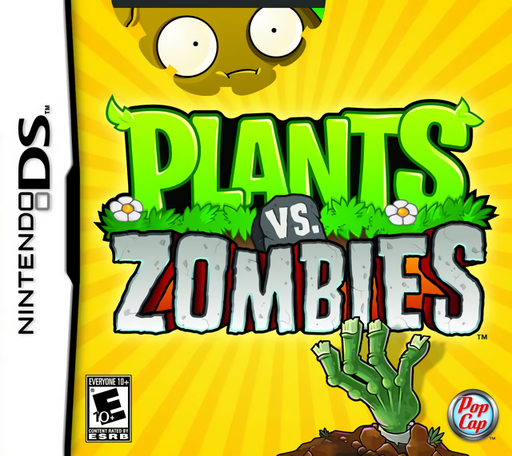
Plants vs. Zombies
Play Plants vs. Zombies online. Start Adventure, collect sun and plant your first Peashooters with the Nintendo DS stylus controls.
Browser play
Nintendo DS (NDS) — EmulatorJS controls
Default Player 1 keyboard mapping. Change keys in Controller Settings.
| Console button | Keyboard |
|---|---|
| ↑ / ↓ / ← / → | ↑ / ↓ / ← / → |
| A / B / X / Y | Z / X / A / S |
| L / R | Q / E |
| START / SELECT | Enter / V |
| Microphone | Not assigned |
Open Controller Settings to configure your keyboard or gamepad. Touch controls are available on mobile.
How to Play Plants vs. Zombies
Quick start
Choose Adventure and follow level 1-1’s tutorial. Collect falling sun with the stylus, then drag an available Peashooter seed packet onto the single grass row when you have enough sun. Keep zombies from reaching the left edge. Clear the level to earn Sunflower; in the next stage, grow sunflowers while adding a shooter to each threatened row.
Controls
Tap menu choices with the stylus. Drag a usable seed packet to an empty valid planting square, then release to plant. Touch sun to collect it and use the same touch interface for other on-screen tools when introduced. Check the sun cost before placing a plant and use the game’s displayed controls for each extra activity.
Plants vs. Zombies — About this game
Plants vs. Zombies turns a garden into a row-by-row defence. Sun pays for plants, so building an economy and stopping the next approaching zombie compete for the same resource. Peashooters cover their own rows, while sunflowers supply more sun once you earn them. As the lawn opens up, watch every lane rather than spending everything where the first enemy appears. A lawnmower can rescue a breached row once, but it is a last defence rather than a plan. The DS version uses the stylus to place seed packets and collect resources. Adventure introduces plants gradually; the Almanac helps you study them, and the More screen leads to additional activities as they become available.
Plants vs. Zombies Game manuals
Cheats
No cheats have been added for this edition.
Player verification and sources
Browser play was reviewed before this edition was published in the catalogue. The date below is the catalogue publication date, not the game’s original release date.
- Browser test and catalogue publication date
- Browsers and devices
- PC: Chrome, Edge and Firefox. Mobile: Chrome on Android and Safari on iPhone and iPad.
- Player engine and core
- EmulatorJS 4.3.0-pre · nds
- Tested by
- rwEmulator
Sources and editorial basis
rwEmulator reviews edition metadata, release information, game manuals and first-hand browser-play notes. Available manuals are linked below; the editorial policy explains how facts are checked and corrections are handled.