More browsing paths
Play Pocket Bowling (GB Compatible · US edition · English) Online
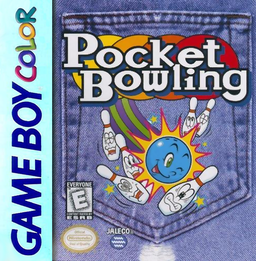
Pocket Bowling
Play Pocket Bowling online on GBC. Choose a bowler’s strengths and dominant hand, then aim for strikes through a sequence of position, spin and power settings. Each throw is a timing exercise rather than a long button hold, with lane wax changing how easily the ball curves.
Browser play
Game Boy Color (GBC) — EmulatorJS controls
Default Player 1 keyboard mapping. Change keys in Controller Settings.
| Console button | Keyboard |
|---|---|
| ↑ / ↓ / ← / → | ↑ / ↓ / ← / → |
| A / B | Z / X |
| START / SELECT | Enter / V |
Open Controller Settings to configure your keyboard or gamepad. Touch controls are available on mobile.
How to Play Pocket Bowling
Quick start
Press START and choose a mode with A. Set your bowler and hand, then choose START. Fix the lane position with A, set spin, set power and stop the returning meter on its circular mark.
Controls
The D-pad moves the cursor or ball position. A confirms the position and each moving indicator. B returns or cancels; SELECT shows the score. START begins the game.
Pocket Bowling — About this game
Pocket Bowling for Game Boy Color. A shot begins by fixing the starting position. Stop the spin indicator, choose power, then stop the returning indicator at its circular mark for the release. Practise repeatable shots before adding a large curve; the dominant hand and wax alter the result.
Pocket Bowling Game manuals
Cheats
No cheats have been added for this edition.
Player verification and sources
Browser play was reviewed before this edition was published in the catalogue. The date below is the catalogue publication date, not the game’s original release date.
- Browser test and catalogue publication date
- Browsers and devices
- PC: Chrome, Edge and Firefox. Mobile: Chrome on Android and Safari on iPhone and iPad.
- Player engine and core
- EmulatorJS 4.3.0-pre · gb
- Tested by
- rwEmulator
Sources and editorial basis
rwEmulator reviews edition metadata, release information, game manuals and first-hand browser-play notes. Available manuals are linked below; the editorial policy explains how facts are checked and corrections are handled.