More browsing paths
Play Pocket Family GB 2 (Japan edition · Japanese · Edition 149132) Online
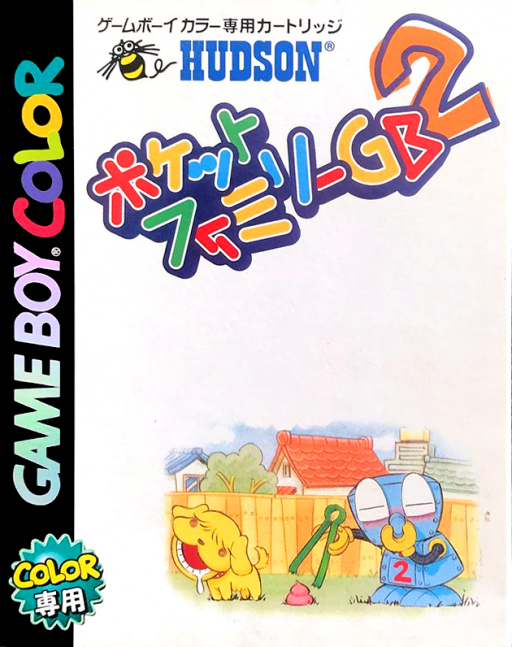
Pocket Family GB 2
Play Pocket Family GB 2 online on GBC. Care for four households and guide a helpful robot through family life.
Browser play
Game Boy Color (GBC) — EmulatorJS controls
Default Player 1 keyboard mapping. Change keys in Controller Settings.
| Console button | Keyboard |
|---|---|
| ↑ / ↓ / ← / → | ↑ / ↓ / ← / → |
| A / B | Z / X |
| START / SELECT | Enter / V |
Open Controller Settings to configure your keyboard or gamepad. Touch controls are available on mobile.
How to Play Pocket Family GB 2
Quick start
Start a new household and follow the introduction. Inspect the family and available actions, choose a simple task for the robot, then visit another household as more become available.
Controls
Use the directional pad to select rooms, people or commands shown on screen. A confirms and B returns. Read the action prompt before assigning the robot.
Pocket Family GB 2 — About this game
Watch what each family is doing before sending the robot to help. Moving between households lets you compare their situations and avoid spending all your time with just one family. The appeal lies in observing domestic routines and choosing useful interventions rather than chasing a racing or combat score.
Pocket Family GB 2 Game manuals
Cheats
No cheats have been added for this edition.
Player verification and sources
Browser play was reviewed before this edition was published in the catalogue. The date below is the catalogue publication date, not the game’s original release date.
- Browser test and catalogue publication date
- Browsers and devices
- PC: Chrome, Edge and Firefox. Mobile: Chrome on Android and Safari on iPhone and iPad.
- Player engine and core
- EmulatorJS 4.3.0-pre · gb
- Tested by
- rwEmulator
Sources and editorial basis
rwEmulator reviews edition metadata, release information, game manuals and first-hand browser-play notes. Available manuals are linked below; the editorial policy explains how facts are checked and corrections are handled.