More browsing paths
Play Pokémon Pinball: Ruby & Sapphire (Europe edition · English) Online
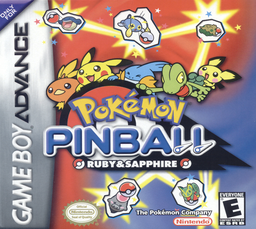
Pokémon Pinball: Ruby & Sapphire
Play Pokémon Pinball: Ruby & Sapphire online on GBA, work two fields, activate Catch ’Em, Travel and Evo modes, enter bonus stages and fill the shared Pokédex.
Browser play
Game Boy Advance (GBA) — EmulatorJS controls
Default Player 1 keyboard mapping. Change keys in Controller Settings.
| Console button | Keyboard |
|---|---|
| ↑ / ↓ / ← / → | ↑ / ↓ / ← / → |
| A / B | Z / X |
| L / R | Q / E |
| START / SELECT | Enter / V |
Open Controller Settings to configure your keyboard or gamepad. Touch controls are available on mobile.
How to Play Pokémon Pinball: Ruby & Sapphire
Quick start
Press START or A, choose GAME START, select the Ruby or Sapphire Field and use SLOW ball speed while learning. Launch with A and keep the ball between both flippers; meet field requirements to open Catch ’Em Mode, then hit the Pokémon enough times before the timer ends. Caught Pokémon from both fields share one Pokédex, while Travel Mode changes which species can appear.
Controls
D-pad moves menu cursors; Left operates the left flipper and moves Pikachu to the left out lane. A confirms, launches the ball, uses the right flipper, moves Pikachu right and triggers Makuhita’s punch on Ruby Field. L tilts right, R tilts left, and L+R tilts upward. B cancels, START pauses with Save/Cancel and SELECT is unused. Button Config can remap actions.
Pokémon Pinball: Ruby & Sapphire Game manuals
Cheats
No cheats have been added for this edition.
Player verification and sources
Browser play was reviewed before this edition was published in the catalogue. The date below is the catalogue publication date, not the game’s original release date.
- Browser test and catalogue publication date
- Browsers and devices
- PC: Chrome, Edge and Firefox. Mobile: Chrome on Android and Safari on iPhone and iPad.
- Player engine and core
- EmulatorJS 4.3.0-pre · gba
- Tested by
- rwEmulator
Sources and editorial basis
rwEmulator reviews edition metadata, release information, game manuals and first-hand browser-play notes. Available manuals are linked below; the editorial policy explains how facts are checked and corrections are handled.