More browsing paths
Play Pop Cutie! Street Fashion Simulation (US edition · English) Online
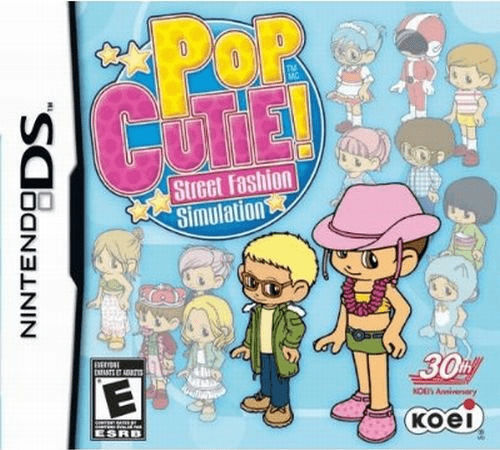
Pop Cutie! - Street Fashion Simulation
Play Pop Cutie! Street Fashion Simulation online. Collect street-style ideas, combine design words and run your own boutique.
Browser play
Nintendo DS (NDS) — EmulatorJS controls
Default Player 1 keyboard mapping. Change keys in Controller Settings.
| Console button | Keyboard |
|---|---|
| ↑ / ↓ / ← / → | ↑ / ↓ / ← / → |
| A / B / X / Y | Z / X / A / S |
| L / R | Q / E |
| START / SELECT | Enter / V |
| Microphone | Not assigned |
Open Controller Settings to configure your keyboard or gamepad. Touch controls are available on mobile.
How to Play Pop Cutie! Street Fashion Simulation
Quick start
Speak to people for design ideas, create a first item and stock the boutique. Watch a customer response before making the next design.
Controls
Use the DS stylus to choose conversation and studio options, combine design keywords and manage shop displays. Check item and stock information before confirming production or a shop change.
Pop Cutie! Street Fashion Simulation — About this game
Talk to people in the city to gather keywords that can inspire clothing designs. Combine useful words in the studio, make items and place them in your shop where customers can discover them. A successful boutique also needs stock, staff and promotion, so watch sales before making another large batch. Start with a few designs and learn what the local crowd wants rather than filling every display at once. Models can advertise your clothes outside, and fashion contests test how well your style works against rivals. Explore, design, sell and reinvest to grow the business instead of only dressing one avatar.
Pop Cutie! Street Fashion Simulation Game manuals
Cheats
No cheats have been added for this edition.
Player verification and sources
Browser play was reviewed before this edition was published in the catalogue. The date below is the catalogue publication date, not the game’s original release date.
- Browser test and catalogue publication date
- Browsers and devices
- PC: Chrome, Edge and Firefox. Mobile: Chrome on Android and Safari on iPhone and iPad.
- Player engine and core
- EmulatorJS 4.3.0-pre · nds
- Tested by
- rwEmulator
Sources and editorial basis
rwEmulator reviews edition metadata, release information, game manuals and first-hand browser-play notes. Available manuals are linked below; the editorial policy explains how facts are checked and corrections are handled.