More browsing paths
Play Powershot Pinball Constructor (Europe edition · English / French / German / Spanish / Italian) Online
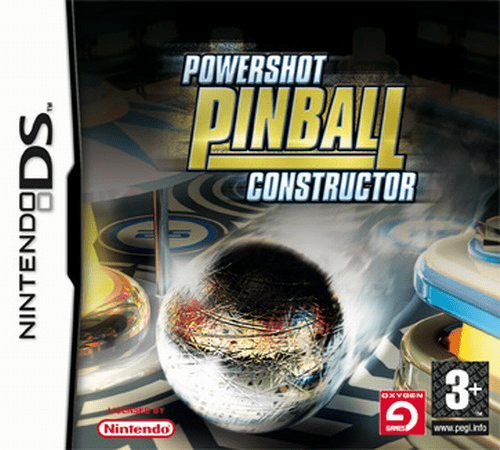
Powershot Pinball Constructor
Play Powershot Pinball Constructor online. Chase pinball scores, then build and test a table of your own. See the Nintendo DS starting guide and controls.
Browser play
Nintendo DS (NDS) — EmulatorJS controls
Default Player 1 keyboard mapping. Change keys in Controller Settings.
| Console button | Keyboard |
|---|---|
| ↑ / ↓ / ← / → | ↑ / ↓ / ← / → |
| A / B / X / Y | Z / X / A / S |
| L / R | Q / E |
| START / SELECT | Enter / V |
| Microphone | Not assigned |
Open Controller Settings to configure your keyboard or gamepad. Touch controls are available on mobile.
How to Play Powershot Pinball Constructor
Quick start
Play a supplied table to learn the flippers, then open the editor. Place a few objects, rotate one and press the test option; change the layout after observing the ball.
Controls
Shoulder buttons operate the flippers; Stylus mode offers touch flippers. In the editor, tap to place, drag to move and use shoulder buttons to rotate. The test button starts a playable preview.
Powershot Pinball Constructor — About this game
Powershot Pinball Constructor combines ready-made tables with a stylus editor. First play a built-in table and watch how a bumper redirects the ball toward a flipper. In the editor, choose a base and place a small set of objects, then test before adding more. Moving one obstacle at a time makes it easier to see whether the ball can return safely or become trapped. Score and time-based modes provide different play goals, while construction turns a failed shot into a reason to adjust the layout. Start simple and make the table playable before filling every space.
Powershot Pinball Constructor Game manuals
Cheats
No cheats have been added for this edition.
Player verification and sources
Browser play was reviewed before this edition was published in the catalogue. The date below is the catalogue publication date, not the game’s original release date.
- Browser test and catalogue publication date
- Browsers and devices
- PC: Chrome, Edge and Firefox. Mobile: Chrome on Android and Safari on iPhone and iPad.
- Player engine and core
- EmulatorJS 4.3.0-pre · nds
- Tested by
- rwEmulator
Sources and editorial basis
rwEmulator reviews edition metadata, release information, game manuals and first-hand browser-play notes. Available manuals are linked below; the editorial policy explains how facts are checked and corrections are handled.