More browsing paths
Play Pro Yakyuu Family Stadium '87 (Japan edition · Japanese) Online
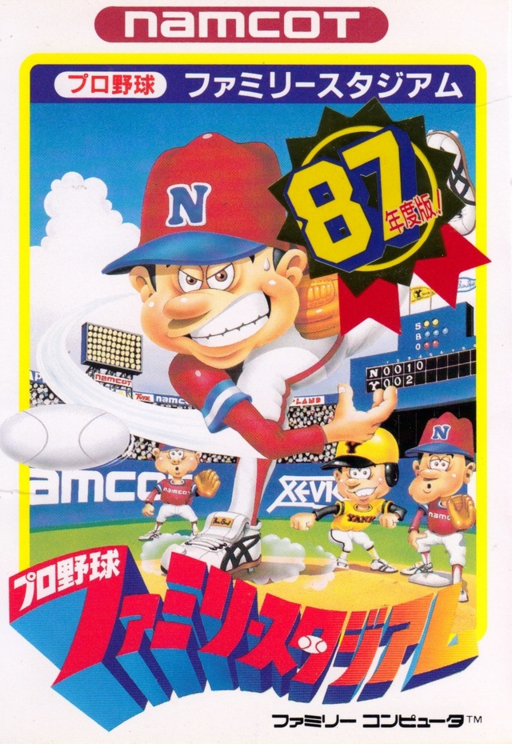
Pro Yakyuu Family Stadium '87
Play Famicom ``Professional Baseball Family Stadium '87'' online. Choose from 12 teams and challenge 11 rivals in pitching, batting, and defense. Introducing starting procedures, throwing balls, and base running operations.
Browser play
Nintendo Entertainment System (NES) / Famicom — EmulatorJS controls
Default Player 1 keyboard mapping. Change keys in Controller Settings.
| Console button | Keyboard |
|---|---|
| ↑ / ↓ / ← / → | ↑ / ↓ / ← / → |
| A / B | Z / X |
| START / SELECT | Enter / V |
Open Controller Settings to configure your keyboard or gamepad. Touch controls are available on mobile.
How to Play Pro Yakyuu Family Stadium '87
Quick start
Select SELECT for one person and press START. Select a team with the cross button and confirm with A. If you want to start a new one, continue with A. Choose your starting pitcher from top to bottom and enter the game with A. In defense, you pitch with A, and when you get hit, use the cross button to move the fielder and catch the ball. You can send it to first base with right + A. At the turn of the bat, look at the height and direction of the ball, press A, and aim for a sure hit.
Controls
Cross button: Player movement, selection, base designation (right = first base, top = second base, left = third base, bottom = home base). A: Batting, pitching, throwing/returning at the same time as base designation. B + designated base: After advancing and catching the ball, the fielder runs to the designated base. Before pitching, B switches to the check screen. When pitching, the upper + A is a slow ball, the lower + A is a fast ball, and it changes from left to right after release. START: Start/Time. During the time, A on the attacking/defending side chooses pinch hitter/relief. SELECT: 1P/2P/Watch selection.
Pro Yakyuu Family Stadium '87 — About this game
“Professional Baseball Family Stadium ’87” is a baseball game with updated player data and competition between 12 teams including the Bravos and Major Leaguers. The screen changes from a large screen showing the batter and pitcher showing off each other, to a screen showing the entire stadium depending on whether a ball is hit or a stolen base, and you can control everything from catching, throwing, and running the bases. When it comes to pitching, it's not just the speed that matters, but also the changes that occur after the ball is released. On offense, he does not rely solely on strong swings, but can also use bunts and advancing and retreating runners to create opportunities. In the single-player game, defeat all 11 teams other than your own to win the championship, and use the password displayed after victory to continue. Starting pitchers cannot be used for the next game immediately after pitching, so in addition to selecting relievers and pinch hitters, it is also necessary to plan with an eye on consecutive games.
Cheats
No cheats have been added for this edition.
Player verification and sources
Browser play was reviewed before this edition was published in the catalogue. The date below is the catalogue publication date, not the game’s original release date.
- Browser test and catalogue publication date
- Browsers and devices
- PC: Chrome, Edge and Firefox. Mobile: Chrome on Android and Safari on iPhone and iPad.
- Player engine and core
- EmulatorJS 4.3.0-pre · nes
- Tested by
- rwEmulator
Sources and editorial basis
rwEmulator reviews edition metadata, release information, game manuals and first-hand browser-play notes. Available manuals are linked below; the editorial policy explains how facts are checked and corrections are handled.