More browsing paths
Play Puchi Carat (SGB Enhanced / GB Compatible · Europe edition · English) Online
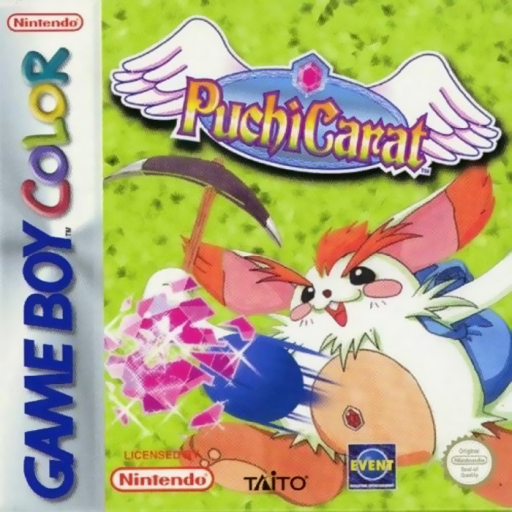
Puchi Carat
Play Puchi Carat online on GBC. A paddle-and-ball puzzle replaces ordinary bricks with hanging gems. Return the ball to break the jeweled field, detach connected pieces and keep the lower area under control. Character matches add a competitive rhythm to precise rebounds.
Browser play
Game Boy Color (GBC) — EmulatorJS controls
Default Player 1 keyboard mapping. Change keys in Controller Settings.
| Console button | Keyboard |
|---|---|
| ↑ / ↓ / ← / → | ↑ / ↓ / ← / → |
| A / B | Z / X |
| START / SELECT | Enter / V |
Open Controller Settings to configure your keyboard or gamepad. Touch controls are available on mobile.
How to Play Puchi Carat
Quick start
Choose a single-player game and begin at an easy setting. Use Left/Right to track the ball, confirm or launch with A, and keep returning it before aiming at supports.
Controls
Left/Right moves the paddle. A confirms selections and launches; B cancels menu choices. START begins or pauses.
Puchi Carat — About this game
Puchi Carat for Game Boy Color. Look for support points instead of striking every gem separately. Removing a connection can drop more of the formation, but a missed return gives you less time to stabilize the field. Begin by learning the paddle speed and the angle of each bounce.
Puchi Carat Game manuals
Cheats
No cheats have been added for this edition.
Player verification and sources
Browser play was reviewed before this edition was published in the catalogue. The date below is the catalogue publication date, not the game’s original release date.
- Browser test and catalogue publication date
- Browsers and devices
- PC: Chrome, Edge and Firefox. Mobile: Chrome on Android and Safari on iPhone and iPad.
- Player engine and core
- EmulatorJS 4.3.0-pre · gb
- Tested by
- rwEmulator
Sources and editorial basis
rwEmulator reviews edition metadata, release information, game manuals and first-hand browser-play notes. Available manuals are linked below; the editorial policy explains how facts are checked and corrections are handled.