More browsing paths
Play Purr Pals (US edition · English) Online
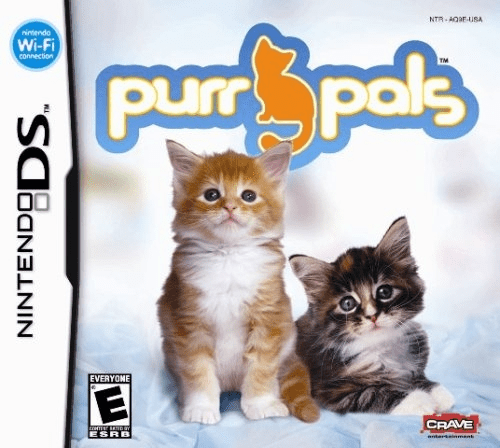
Purr Pals
Play Purr Pals online. Adopt a kitten, care through touch icons and earn accessories with shows and mini-games. See the Nintendo DS starting guide and controls.
Browser play
Nintendo DS (NDS) — EmulatorJS controls
Default Player 1 keyboard mapping. Change keys in Controller Settings.
| Console button | Keyboard |
|---|---|
| ↑ / ↓ / ← / → | ↑ / ↓ / ← / → |
| A / B / X / Y | Z / X / A / S |
| L / R | Q / E |
| START / SELECT | Enter / V |
| Microphone | Not assigned |
Open Controller Settings to configure your keyboard or gamepad. Touch controls are available on mobile.
How to Play Purr Pals
Quick start
Choose and name your kitten, inspect its care icons and provide food or grooming. Try the heart icon to pet it, then check your allowance before opening the shop or a mini-game.
Controls
Tap a care icon and use the stylus gesture shown for that action. Rub the kitten after selecting the heart. Menus select food, toys and accessories; each mini-game has its own timing and touch instructions.
Purr Pals — About this game
Choose a kitten's breed and appearance, name it and begin a routine of feeding, grooming, petting and play. Purr Pals uses icons for different interactions: select the heart and rub the kitten with the stylus to pet it. Care earns an allowance for food, toys and home items, while cat shows and mini-games provide other activities. Begin by meeting needs before shopping for accessories. The music game offers a timing challenge separate from daily care, so read its instructions instead of repeating the petting motion.
Purr Pals Game manuals
Cheats
No cheats have been added for this edition.
Player verification and sources
Browser play was reviewed before this edition was published in the catalogue. The date below is the catalogue publication date, not the game’s original release date.
- Browser test and catalogue publication date
- Browsers and devices
- PC: Chrome, Edge and Firefox. Mobile: Chrome on Android and Safari on iPhone and iPad.
- Player engine and core
- EmulatorJS 4.3.0-pre · nds
- Tested by
- rwEmulator
Sources and editorial basis
rwEmulator reviews edition metadata, release information, game manuals and first-hand browser-play notes. Available manuals are linked below; the editorial policy explains how facts are checked and corrections are handled.