More browsing paths
Play Puzzle City (US edition · English) Online
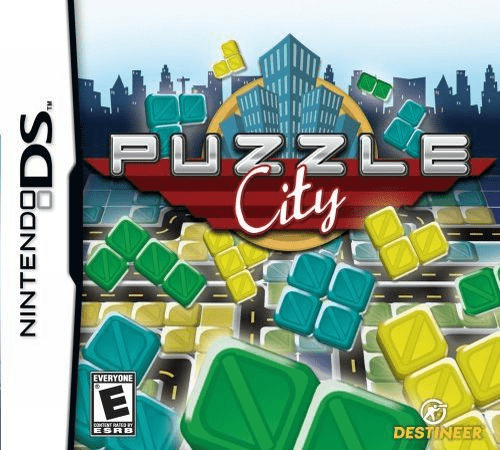
Puzzle City
Play Puzzle City online. Fit coloured construction pieces into blueprints and manage awkward gaps. Learn the DS opening, stylus tools and erasing.
Browser play
Nintendo DS (NDS) — EmulatorJS controls
Default Player 1 keyboard mapping. Change keys in Controller Settings.
| Console button | Keyboard |
|---|---|
| ↑ / ↓ / ← / → | ↑ / ↓ / ← / → |
| A / B / X / Y | Z / X / A / S |
| L / R | Q / E |
| START / SELECT | Enter / V |
| Microphone | Not assigned |
Open Controller Settings to configure your keyboard or gamepad. Touch controls are available on mobile.
How to Play Puzzle City
Quick start
Begin the campaign and follow the short introductory guidance. Check the first blueprint's colour and shape requirements, select an incoming piece and place it in a fitting area on the lower screen. Keep room for larger pieces. If a placement is wrong, erase that area before replacing it; practise the colour and shape tools as they appear.
Controls
Use the stylus to select construction pieces and place them on the lower-screen blueprint. Tap the tool icons for the displayed colour, reshaping, removal or recycling action. Drag the stylus over a mistaken placement to erase it, then fill the cleared space correctly. Watch the time indicator while working and the upper screen for the resulting buildings.
Puzzle City — About this game
A building site becomes a shape-and-colour puzzle. Pieces arrive for you to fit into a prescribed plan, and successful construction turns the grid into houses, shops and other city buildings. The pressure comes from using the available pieces efficiently while the main campaign's time allowance runs down. Tools help reshape a block, change its colour, recycle an unwanted piece or remove a mistake, giving awkward gaps more than one solution. The DS keeps the working blueprint on the lower screen and shows completed construction above. As layouts become more mixed, choosing where a large piece belongs matters more than filling the nearest empty square. Start by reading the current plan, preserving useful spaces and learning the tool icons before relying on them during a crowded stage.
Puzzle City Game manuals
Cheats
No cheats have been added for this edition.
Player verification and sources
Browser play was reviewed before this edition was published in the catalogue. The date below is the catalogue publication date, not the game’s original release date.
- Browser test and catalogue publication date
- Browsers and devices
- PC: Chrome, Edge and Firefox. Mobile: Chrome on Android and Safari on iPhone and iPad.
- Player engine and core
- EmulatorJS 4.3.0-pre · nds
- Tested by
- rwEmulator
Sources and editorial basis
rwEmulator reviews edition metadata, release information, game manuals and first-hand browser-play notes. Available manuals are linked below; the editorial policy explains how facts are checked and corrections are handled.