More browsing paths
Play Puzzle Master (US edition · English) Online
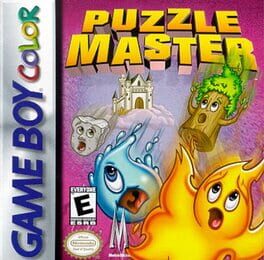
Puzzle Master
Play Puzzle Master online on GBC. Match elemental blocks and use fantasy power-ups to clear each level.
Browser play
Game Boy Color (GBC) — EmulatorJS controls
Default Player 1 keyboard mapping. Change keys in Controller Settings.
| Console button | Keyboard |
|---|---|
| ↑ / ↓ / ← / → | ↑ / ↓ / ← / → |
| A / B | Z / X |
| START / SELECT | Enter / V |
Open Controller Settings to configure your keyboard or gamepad. Touch controls are available on mobile.
How to Play Puzzle Master
Quick start
Choose Training to learn the elemental matches. Move a falling group with Left/Right, rotate it with A and use Down to lower it faster. Match three identical elements in a row. B uses the queued power-up; check the board before spending it.
Controls
Left/Right moves the falling group, A rotates and Down speeds the descent. B uses the queued power-up. START pauses. Menus use the directional pad, A to confirm and B to return.
Puzzle Master — About this game
Power-ups wait in a queue and can change a difficult position: a knife clears a column, while bombs remove trouble and help against monsters in Quest. Training offers room to learn before facing the story’s interference. Keep the pile manageable and save a useful item for a blockage rather than spending it as soon as it appears.
Puzzle Master Game manuals
Cheats
No cheats have been added for this edition.
Player verification and sources
Browser play was reviewed before this edition was published in the catalogue. The date below is the catalogue publication date, not the game’s original release date.
- Browser test and catalogue publication date
- Browsers and devices
- PC: Chrome, Edge and Firefox. Mobile: Chrome on Android and Safari on iPhone and iPad.
- Player engine and core
- EmulatorJS 4.3.0-pre · gb
- Tested by
- rwEmulator
Sources and editorial basis
rwEmulator reviews edition metadata, release information, game manuals and first-hand browser-play notes. Available manuals are linked below; the editorial policy explains how facts are checked and corrections are handled.