More browsing paths
Play Puzzle Mate DS - Nanpure Mate (Japan edition · Japanese) Online
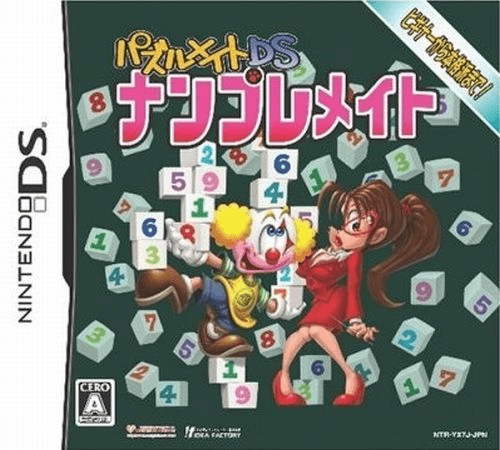
Puzzle Mate DS - Nanpure Mate
Play Puzzle Mate DS - Nanpure Mate online. Fill number grids with candidate notes, handwriting and special regional rules. See the Nintendo DS starting guide and controls.
Browser play
Nintendo DS (NDS) — EmulatorJS controls
Default Player 1 keyboard mapping. Change keys in Controller Settings.
| Console button | Keyboard |
|---|---|
| ↑ / ↓ / ← / → | ↑ / ↓ / ← / → |
| A / B / X / Y | Z / X / A / S |
| L / R | Q / E |
| START / SELECT | Enter / V |
| Microphone | Not assigned |
Open Controller Settings to configure your keyboard or gamepad. Touch controls are available on mobile.
How to Play Puzzle Mate DS - Nanpure Mate
Quick start
Open the tutorial and an easy normal puzzle. Choose handwriting or selection input, fill a certain cell and use temporary candidates where needed. Read a variant's extra rule before switching.
Controls
Choose selection or handwriting input in the DS interface. Select a cell and enter the number, distinguishing temporary notes from a final answer. Handedness settings change interface positions and button assignments.
Puzzle Mate DS - Nanpure Mate — About this game
Nanpure Mate starts with familiar number placement: each row, column and marked block needs the required digits without repetition. Choose a simple grid to learn input, then explore overlapping, coloured-region or odd-and-even puzzles. A coloured region adds its own one-to-nine constraint, while an even-marked cell restricts its possible number. Up to four temporary candidates help keep possibilities separate from final answers. Completed puzzles also contribute pieces of reward illustrations. Read the variant rule before treating a special board like an ordinary Sudoku.
Puzzle Mate DS - Nanpure Mate Game manuals
Cheats
No cheats have been added for this edition.
Player verification and sources
Browser play was reviewed before this edition was published in the catalogue. The date below is the catalogue publication date, not the game’s original release date.
- Browser test and catalogue publication date
- Browsers and devices
- PC: Chrome, Edge and Firefox. Mobile: Chrome on Android and Safari on iPhone and iPad.
- Player engine and core
- EmulatorJS 4.3.0-pre · nds
- Tested by
- rwEmulator
Sources and editorial basis
rwEmulator reviews edition metadata, release information, game manuals and first-hand browser-play notes. Available manuals are linked below; the editorial policy explains how facts are checked and corrections are handled.