More browsing paths
Play Puzzle Quest 2 (US edition · English / French / Spanish) Online
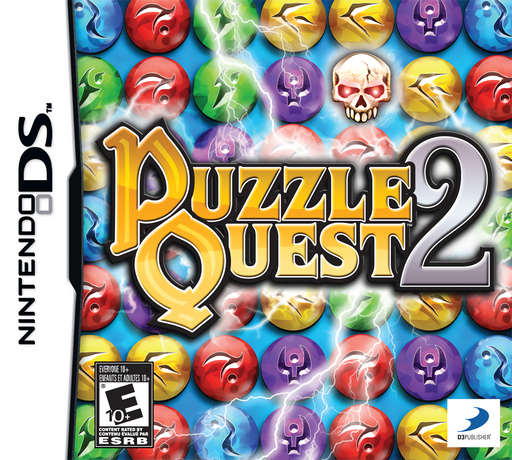
Puzzle Quest 2
Play Puzzle Quest 2 online. Explore Verloren and the Iron Citadel, matching gems to power spells, weapons and other equipment in turn-based fights.
Browser play
Nintendo DS (NDS) — EmulatorJS controls
Default Player 1 keyboard mapping. Change keys in Controller Settings.
| Console button | Keyboard |
|---|---|
| ↑ / ↓ / ← / → | ↑ / ↓ / ← / → |
| A / B / X / Y | Z / X / A / S |
| L / R | Q / E |
| START / SELECT | Enter / V |
| Microphone | Not assigned |
Open Controller Settings to configure your keyboard or gamepad. Touch controls are available on mobile.
How to Play Puzzle Quest 2
Quick start
Choose Single Player, select a class and gender with the touch-screen arrows and confirm the hero. At Verloren's South Wall, speak to the guard Rhan and accept Rat-O-Phobia. Defeat the Rat Swarm, then speak to Rhan again to finish the quest. Follow the golden quest arrows onward. During battle, match gauntlets to build Action Points and tap equipped items when you have enough to use them.
Controls
DS: use the touch screen for destinations, menus and choices; tap the ground arrows to move between areas. Swap neighbouring gems to form matches and tap equipped spells or items to use them when their costs are met. The lower-screen buttons open hero information, inventory, spells, quests, map and search. START opens the quit menu in the dungeon or battle. Progress saves automatically.
Puzzle Quest 2 — About this game
Puzzle Quest 2 replaces the broad world-map journey with closer exploration of towns and dungeons, with a hero moving between town areas, rooms and dungeon encounters. The shared match-three board still supplies mana for spells and skulls for direct damage, but gauntlet-shaped Action Gems now charge equipped weapons, shields and potions. Choosing when to spend those points adds another decision alongside collecting mana or denying an enemy a useful match. Four character classes offer different approaches to the expedition. Loot, equipment and quest rewards support exploration beneath Verloren, while separate puzzle activities handle obstacles such as doors and traps. Battle preparation matters as much as spotting an immediate match.
Puzzle Quest 2 Game manuals
Cheats
No cheats have been added for this edition.
Player verification and sources
Browser play was reviewed before this edition was published in the catalogue. The date below is the catalogue publication date, not the game’s original release date.
- Browser test and catalogue publication date
- Browsers and devices
- PC: Chrome, Edge and Firefox. Mobile: Chrome on Android and Safari on iPhone and iPad.
- Player engine and core
- EmulatorJS 4.3.0-pre · nds
- Tested by
- rwEmulator
Sources and editorial basis
rwEmulator reviews edition metadata, release information, game manuals and first-hand browser-play notes. Available manuals are linked below; the editorial policy explains how facts are checked and corrections are handled.