More browsing paths
Play Puzzled (Europe edition · English / French / German) Online
Puzzled
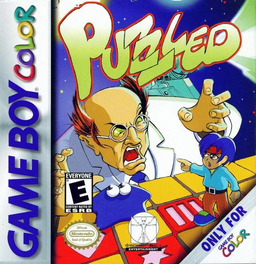
Play Puzzled online on GBC. Move puzzle pieces, use a clone and clear a path back to the start.
Browser play
Game Boy Color (GBC) — EmulatorJS controls
Default Player 1 keyboard mapping. Change keys in Controller Settings.
| Console button | Keyboard |
|---|---|
| ↑ / ↓ / ← / → | ↑ / ↓ / ← / → |
| A / B | Z / X |
| START / SELECT | Enter / V |
Open Controller Settings to configure your keyboard or gamepad. Touch controls are available on mobile.
How to Play Puzzled
Quick start
Use A or START to begin, then watch the early-level demonstrations; A or B ends a demonstration. Move onto a movable piece, hold A and use the directional pad to shift it. Try B for a clone and SELECT if you need to restart the current puzzle.
Controls
The directional pad moves the blob. Hold A with a direction to move the piece beneath it. B sends a clone; guide it and press B again to choose a matching block. SELECT restarts the level. START+A returns to the menu.
Puzzled — About this game
Hold A to move a movable piece while the blob rides it. B creates a clone that can select a matching symbol block across a row or column; the pair disappears after the blob leaves the first block. Porous tiles vanish when crossed, arrows burst correctly facing balloons and mirrors redirect arrows. Keep the route back to the starting tile in mind.
Puzzled Game manuals
Cheats
No cheats have been added for this edition.
Player verification and sources
Browser play was reviewed before this edition was published in the catalogue. The date below is the catalogue publication date, not the game’s original release date.
- Browser test and catalogue publication date
- Browsers and devices
- PC: Chrome, Edge and Firefox. Mobile: Chrome on Android and Safari on iPhone and iPad.
- Player engine and core
- EmulatorJS 4.3.0-pre · gb
- Tested by
- rwEmulator
Sources and editorial basis
rwEmulator reviews edition metadata, release information, game manuals and first-hand browser-play notes. Available manuals are linked below; the editorial policy explains how facts are checked and corrections are handled.