More browsing paths
Play Quarth (Japan edition · Japanese) Online
Quarth
Play Famicom ``Quas'' online. Add bullets to the blocks to create a rectangle and eliminate the approaching mass. Introducing the differences between single-player, cooperative, and competitive games, as well as movement and shooting, and how to choose an AREA.
Browser play
Nintendo Entertainment System (NES) / Famicom — EmulatorJS controls
Default Player 1 keyboard mapping. Change keys in Controller Settings.
| Console button | Keyboard |
|---|---|
| ↑ / ↓ / ← / → | ↑ / ↓ / ← / → |
| A / B | Z / X |
| START / SELECT | Enter / V |
Open Controller Settings to configure your keyboard or gamepad. Touch controls are available on mobile.
How to Play Quarth
Quick start
Select 1 PLAYER with SELECT and confirm with START. Set the AREA to 0 on the left and right sides, select it with A or B, and then select the type of your aircraft with the left and right buttons and A/B. Once the preparations are complete, press START. Move left and right to align with the bottom of the depression, and press A or B to add the required number of bullets. Make sure to make a small rectangle at first and avoid adding unnecessary protrusions.
Controls
Left/Right: Move your aircraft sideways. Top: Speed up the falling of blocks. A/B: Both fire block pieces. START: Deciding and starting play selection, pausing/resuming play. SELECT: Start screen mode selection. Select the AREA and your own aircraft using the left and right keys and press A or B, and select the difficulty setting for battles only using the top and bottom keys and press A/B. In a two-player game, player 1 uses controller 1 and player 2 uses controller 2.
Quarth — About this game
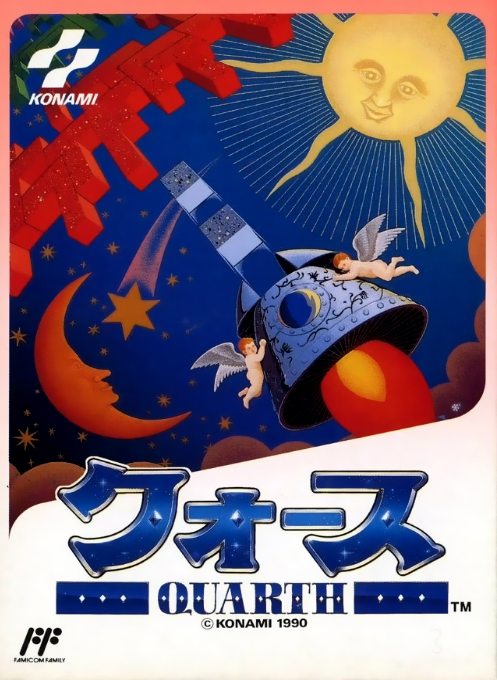
"Quarth" is a game where you fire square bullets at irregular blocks that approach from above, completing rectangles and squares and erasing them. It is characterized by adding shapes and arranging them, rather than cutting them down by shooting. Decide whether to deal with them one by one with fewer bullets, or connect multiple blocks to erase them all at once, by looking at the next shape and the remaining distance. Not only can you aim for a high score by erasing large blocks, but you can also use the time when other blocks stop while erasing. The Famicom version includes four modes: single player, two player alternation, same screen cooperation, and battle mode. In a match, erasing three or more at the same time will push your opponent to the limit, making the game different from a simple scoring match. Outside of battles, items such as clearing all and pausing are also helpful.
Cheats
No cheats have been added for this edition.
Player verification and sources
Browser play was reviewed before this edition was published in the catalogue. The date below is the catalogue publication date, not the game’s original release date.
- Browser test and catalogue publication date
- Browsers and devices
- PC: Chrome, Edge and Firefox. Mobile: Chrome on Android and Safari on iPhone and iPad.
- Player engine and core
- EmulatorJS 4.3.0-pre · nes
- Tested by
- rwEmulator
Sources and editorial basis
rwEmulator reviews edition metadata, release information, game manuals and first-hand browser-play notes. Available manuals are linked below; the editorial policy explains how facts are checked and corrections are handled.