More browsing paths
Play QuickSpot (US edition) Online
QuickSpot
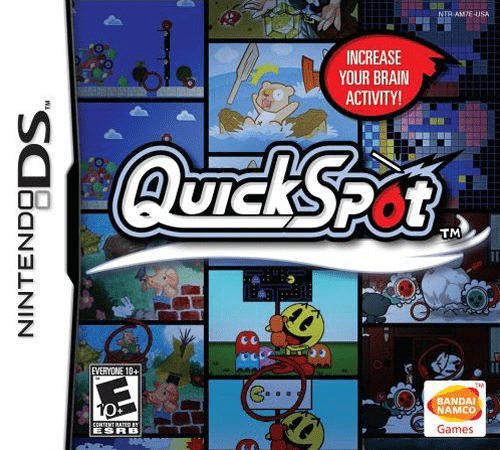
Play QuickSpot online. Compare the two screens and circle differences in quick rounds or untimed picture puzzles. Explore the Nintendo DS gameplay and controls.
Browser play
Nintendo DS (NDS) — EmulatorJS controls
Default Player 1 keyboard mapping. Change keys in Controller Settings.
| Console button | Keyboard |
|---|---|
| ↑ / ↓ / ← / → | ↑ / ↓ / ← / → |
| A / B / X / Y | Z / X / A / S |
| L / R | Q / E |
| START / SELECT | Enter / V |
| Microphone | Not assigned |
Open Controller Settings to configure your keyboard or gamepad. Touch controls are available on mobile.
How to Play QuickSpot
Quick start
Circle Start on the title, then circle Single Player and New Game. Enter a name and the requested profile details, confirm and circle Start. Choose Rapid Play and an available stage, or Focus Play for an untimed puzzle. Compare both pictures and circle only the changed detail on the lower screen.
Controls
Draw small, closed circles around differences and menu choices with the stylus; tapping a menu item displays its explanation. START or Control Pad Up opens the pause menu. Special puzzles may ask you to rub the lower screen or blow into the DS microphone before circling differences.
QuickSpot — About this game
Look between the upper and lower pictures, then circle the detail that differs on the touch screen. Rapid Play gives each difference a ten-second window and links short puzzles into stages, while Focus Play removes the timer and hides several changes in each illustration. Later boss challenges add actions such as rubbing away a covering or blowing leaves aside before searching. The game records scores and its own Brain Activity ratings, giving you another set of targets for repeat attempts alongside the illustrated puzzles.
QuickSpot Game manuals
Cheats
No cheats have been added for this edition.
Player verification and sources
Browser play was reviewed before this edition was published in the catalogue. The date below is the catalogue publication date, not the game’s original release date.
- Browser test and catalogue publication date
- Browsers and devices
- PC: Chrome, Edge and Firefox. Mobile: Chrome on Android and Safari on iPhone and iPad.
- Player engine and core
- EmulatorJS 4.3.0-pre · nds
- Tested by
- rwEmulator
Sources and editorial basis
rwEmulator reviews edition metadata, release information, game manuals and first-hand browser-play notes. Available manuals are linked below; the editorial policy explains how facts are checked and corrections are handled.