More browsing paths
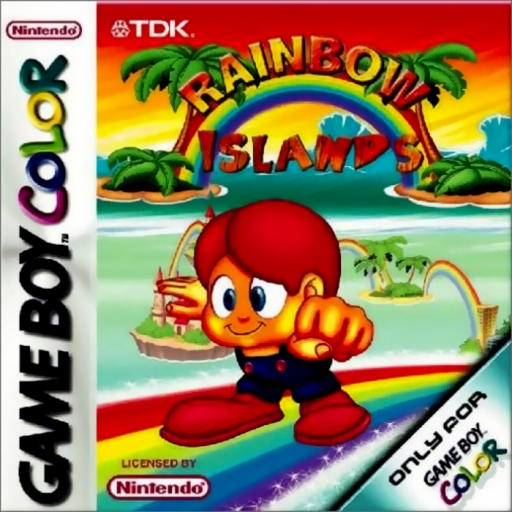
Play Rainbow Islands (Europe edition · English / French / German / Spanish / Italian) Online
Rainbow Islands
Play Rainbow Islands online on GBC. Rainbow Islands turns a rainbow into both a weapon and a temporary path upward.
Browser play
Game Boy Color (GBC) — EmulatorJS controls
Default Player 1 keyboard mapping. Change keys in Controller Settings.
| Console button | Keyboard |
|---|---|
| ↑ / ↓ / ← / → | ↑ / ↓ / ← / → |
| A / B | Z / X |
| START / SELECT | Enter / V |
Open Controller Settings to configure your keyboard or gamepad. Touch controls are available on mobile.
How to Play Rainbow Islands
Quick start
Begin the first island, try a rainbow on safe ground and learn its height. Jump onto a useful arch, clear the next nearby threat and build toward the next platform instead of leaping blindly upward.
Controls
D-pad moves and selects. A jumps and B creates rainbows in the platform stages; check the game’s opening controls for its layout. START opens the available pause/menu. Position arches before attempting the next climb.
Rainbow Islands — About this game
Look at the next platform before building an arch. Keep enough space to land and avoid creating a route directly into an enemy. A rainbow can help attack as well as support movement, making its position more important than repeated button presses. Learn a short climbing sequence, then repeat it with fewer hesitations as the stage grows more demanding.
Cheats
No cheats have been added for this edition.
Player verification and sources
Browser play was reviewed before this edition was published in the catalogue. The date below is the catalogue publication date, not the game’s original release date.
- Browser test and catalogue publication date
- Browsers and devices
- PC: Chrome, Edge and Firefox. Mobile: Chrome on Android and Safari on iPhone and iPad.
- Player engine and core
- EmulatorJS 4.3.0-pre · gb
- Tested by
- rwEmulator
Sources and editorial basis
rwEmulator reviews edition metadata, release information, game manuals and first-hand browser-play notes. Available manuals are linked below; the editorial policy explains how facts are checked and corrections are handled.