More browsing paths
Play Rampage 2: Universal Tour (US edition · English) Online
Rampage 2 - Universal Tour
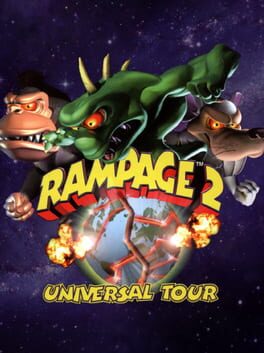
Play Rampage 2: Universal Tour online on GBC. Smash cities with new monsters and rescue the original trio.
Browser play
Game Boy Color (GBC) — EmulatorJS controls
Default Player 1 keyboard mapping. Change keys in Controller Settings.
| Console button | Keyboard |
|---|---|
| ↑ / ↓ / ← / → | ↑ / ↓ / ← / → |
| A / B | Z / X |
| START / SELECT | Enter / V |
Open Controller Settings to configure your keyboard or gamepad. Touch controls are available on mobile.
How to Play Rampage 2: Universal Tour
Quick start
Choose a new game and an available monster. In the first city, move to a building, climb with Up and punch with B. A jumps, A+B kicks and Down+A stomps from a roof. Break the city’s buildings while watching health and nearby threats.
Controls
The directional pad moves and climbs. A jumps, B punches, A+B kicks and Down+A stomps from a roof. START pauses. Menus use the directional pad, A to confirm and B to return.
Rampage 2: Universal Tour — About this game
Damage, vehicles, people and food contribute to the destruction score. Broken windows can hide food, but not everything you eat restores health. Jump between positions, punch exposed targets and use kicks or a rooftop stomp when the situation calls for them. A collapsing building changes the space around you, so keep moving rather than standing under every threat.
Cheats
No cheats have been added for this edition.
Player verification and sources
Browser play was reviewed before this edition was published in the catalogue. The date below is the catalogue publication date, not the game’s original release date.
- Browser test and catalogue publication date
- Browsers and devices
- PC: Chrome, Edge and Firefox. Mobile: Chrome on Android and Safari on iPhone and iPad.
- Player engine and core
- EmulatorJS 4.3.0-pre · gb
- Tested by
- rwEmulator
Sources and editorial basis
rwEmulator reviews edition metadata, release information, game manuals and first-hand browser-play notes. Available manuals are linked below; the editorial policy explains how facts are checked and corrections are handled.