More browsing paths
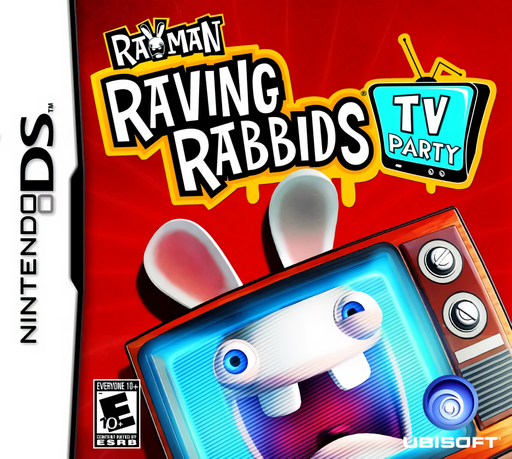
Play Rayman Raving Rabbids: TV Party (US edition · English / French / Spanish) Online
Rayman - Raving Rabbids - TV Party
Play Rayman Raving Rabbids: TV Party online. Win television minigames to gain moves, catch Rabbids and reclaim Rayman's TV. See the Nintendo DS starting guide and controls.
Browser play
Nintendo DS (NDS) — EmulatorJS controls
Default Player 1 keyboard mapping. Change keys in Controller Settings.
| Console button | Keyboard |
|---|---|
| ↑ / ↓ / ← / → | ↑ / ↓ / ← / → |
| A / B / X / Y | Z / X / A / S |
| L / R | Q / E |
| START / SELECT | Enter / V |
| Microphone | Not assigned |
Open Controller Settings to configure your keyboard or gamepad. Touch controls are available on mobile.
How to Play Rayman Raving Rabbids: TV Party
Quick start
Choose Adventure and a channel. Use Try to learn the activity, then Play for points and moves. Follow the board toward the TV and complete the Rabbid chase to open more games.
Controls
Select channels and games with the stylus. Try practices and Play begins the attempt; follow each activity's displayed controls. In the original multiplayer mode, read whether you are scoring or obstructing this round.
Rayman Raving Rabbids: TV Party — About this game
TV Party on DS links its channel-based minigames to an Adventure board. Play as Rayman and earn moves through the selected television activities, then use them to approach the TV and chase the Rabbids. Catching them opens further games, which also become available in Score mode. Before an event, use Try to practise or Play to begin the scored attempt. Each channel changes the task, so learn its touch or microphone instruction instead of repeating the previous gesture. The original-console multiplayer contest alternates roles: one player scores while the other interferes, then they exchange jobs in the next round. Start with one channel, learn the scoring action and use the earned moves to see how the adventure progresses.
Rayman Raving Rabbids: TV Party Game manuals
Cheats
No cheats have been added for this edition.
Player verification and sources
Browser play was reviewed before this edition was published in the catalogue. The date below is the catalogue publication date, not the game’s original release date.
- Browser test and catalogue publication date
- Browsers and devices
- PC: Chrome, Edge and Firefox. Mobile: Chrome on Android and Safari on iPhone and iPad.
- Player engine and core
- EmulatorJS 4.3.0-pre · nds
- Tested by
- rwEmulator
Sources and editorial basis
rwEmulator reviews edition metadata, release information, game manuals and first-hand browser-play notes. Available manuals are linked below; the editorial policy explains how facts are checked and corrections are handled.