More browsing paths
Play Reader Rabbit - Kindergarten (US edition) Online
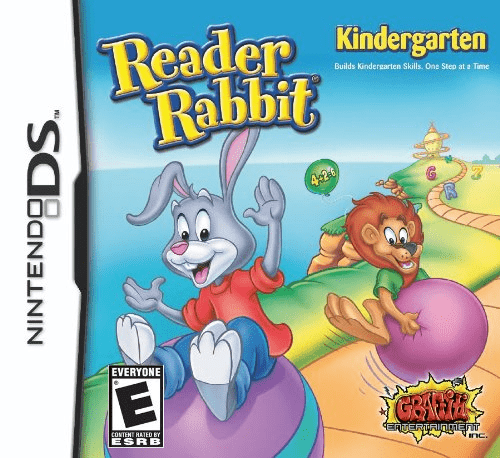
Reader Rabbit - Kindergarten
Play Reader Rabbit - Kindergarten online. Help Reader Rabbit and Sam recover their flying ship through eight learning games. See the Nintendo DS starting guide and controls.
Browser play
Nintendo DS (NDS) — EmulatorJS controls
Default Player 1 keyboard mapping. Change keys in Controller Settings.
| Console button | Keyboard |
|---|---|
| ↑ / ↓ / ← / → | ↑ / ↓ / ← / → |
| A / B / X / Y | Z / X / A / S |
| L / R | Q / E |
| START / SELECT | Enter / V |
| Microphone | Not assigned |
Open Controller Settings to configure your keyboard or gamepad. Touch controls are available on mobile.
How to Play Reader Rabbit - Kindergarten
Quick start
Start the adventure and listen to Reader and Sam's situation. Complete an opening task, use the help book if needed and try the practice area to repeat a skill.
Controls
Use the stylus to select answers and arrange the requested objects. Listen to the spoken prompt, touch the animated help book for guidance and change parent settings through Options.
Reader Rabbit - Kindergarten — About this game
Reader Rabbit Kindergarten takes the pair to Balloon Town, where their flying ship has been taken away. The route back combines eight learning activities: arrange cocoons into patterns, match rhymes through basketball, explore phonics slides and measure objects for the snail postman. Listen to the spoken request and use the stylus to answer, then follow the adventure to another activity. Difficulty adapts to success, and parent options can set levels and inspect a progress report. Start with a familiar task and use the animated help book when the request is unclear. A separate practice area lets you revisit a skill without following the whole story again. Compare the feedback before repeating so the next choice follows the task rather than the location of the last answer.
Reader Rabbit - Kindergarten Game manuals
Cheats
No cheats have been added for this edition.
Player verification and sources
Browser play was reviewed before this edition was published in the catalogue. The date below is the catalogue publication date, not the game’s original release date.
- Browser test and catalogue publication date
- Browsers and devices
- PC: Chrome, Edge and Firefox. Mobile: Chrome on Android and Safari on iPhone and iPad.
- Player engine and core
- EmulatorJS 4.3.0-pre · nds
- Tested by
- rwEmulator
Sources and editorial basis
rwEmulator reviews edition metadata, release information, game manuals and first-hand browser-play notes. Available manuals are linked below; the editorial policy explains how facts are checked and corrections are handled.