More browsing paths
Play Retro Game Challenge (US edition) Online
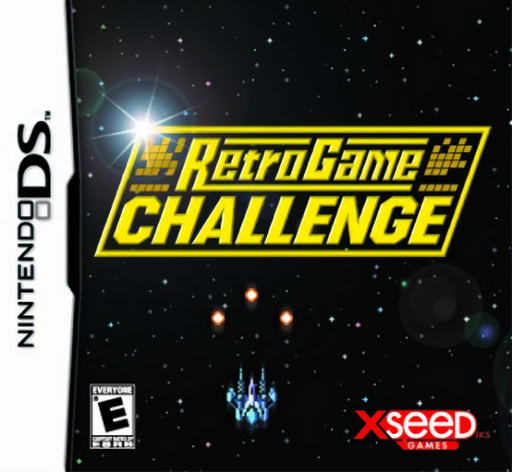
Retro Game Challenge
Play Retro Game Challenge online. Beat Arino's challenges inside fictional eight-bit games and unlock free play. See the Nintendo DS starting guide and controls.
Browser play
Nintendo DS (NDS) — EmulatorJS controls
Default Player 1 keyboard mapping. Change keys in Controller Settings.
| Console button | Keyboard |
|---|---|
| ↑ / ↓ / ← / → | ↑ / ↓ / ← / → |
| A / B / X / Y | Z / X / A / S |
| L / R | Q / E |
| START / SELECT | Enter / V |
| Microphone | Not assigned |
Open Controller Settings to configure your keyboard or gamepad. Touch controls are available on mobile.
How to Play Retro Game Challenge
Quick start
Read Arino's first challenge, start Cosmic Gate and practise movement and firing toward that goal. Consult the magazines when stuck, then return for the next task after success.
Controls
Use D-pad and each game's action buttons for movement, shooting, jumping, driving or menu commands. Read that cartridge's instructions; use the room menus to inspect challenges, magazines and unlocked free-play games.
Retro Game Challenge — About this game
A digital Arino sends you back to childhood to master a succession of invented retro games. Read the current challenge before launching a cartridge: shooting, ninja platforming, racing and an RPG ask for different goals. Completing challenges opens the next title and eventually lets you enjoy unlocked games without interruptions in free play. In-world magazines offer hints and codes, making the room around the games part of progress. Begin with Cosmic Gate and focus on the assigned objective rather than assuming you must immediately finish every stage. Return to the room when asked and check the next challenge.
Retro Game Challenge Game manuals
Cheats
No cheats have been added for this edition.
Player verification and sources
Browser play was reviewed before this edition was published in the catalogue. The date below is the catalogue publication date, not the game’s original release date.
- Browser test and catalogue publication date
- Browsers and devices
- PC: Chrome, Edge and Firefox. Mobile: Chrome on Android and Safari on iPhone and iPad.
- Player engine and core
- EmulatorJS 4.3.0-pre · nds
- Tested by
- rwEmulator
Sources and editorial basis
rwEmulator reviews edition metadata, release information, game manuals and first-hand browser-play notes. Available manuals are linked below; the editorial policy explains how facts are checked and corrections are handled.