More browsing paths
Play Roadsters '98 (Proto / SGB Enhanced / GB Compatible · US edition · English) Online
Roadsters '98
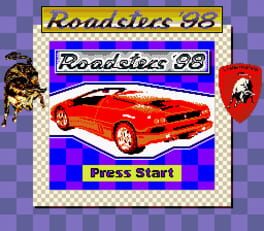
Play Roadsters '98 online on GBC. Drive a small car around a top-down course in the early Roadsters ’98 prototype.
Browser play
Game Boy Color (GBC) — EmulatorJS controls
Default Player 1 keyboard mapping. Change keys in Controller Settings.
| Console button | Keyboard |
|---|---|
| ↑ / ↓ / ← / → | ↑ / ↓ / ← / → |
| A / B | Z / X |
| START / SELECT | Enter / V |
Open Controller Settings to configure your keyboard or gamepad. Touch controls are available on mobile.
How to Play Roadsters '98
Quick start
Begin the available race and practise the first bend at a controllable pace before attempting a faster lap.
Controls
Use the directional pad to steer as shown by the prototype. Acceleration, braking and menu actions follow this build’s control prompts.
Roadsters '98 — About this game
Explore the available content in this preserved prototype. Use the first lap to learn how quickly the car responds rather than treating every bend as a chance to overtake. Make small corrections while the road is clear and look beyond the bonnet toward the next change in direction. If you miss a line, recover a useful heading before accelerating again. The prototype’s short available route is enough to practise consistent corner entry and exit.
Cheats
No cheats have been added for this edition.
Player verification and sources
Browser play was reviewed before this edition was published in the catalogue. The date below is the catalogue publication date, not the game’s original release date.
- Browser test and catalogue publication date
- Browsers and devices
- PC: Chrome, Edge and Firefox. Mobile: Chrome on Android and Safari on iPhone and iPad.
- Player engine and core
- EmulatorJS 4.3.0-pre · gb
- Tested by
- rwEmulator
Sources and editorial basis
rwEmulator reviews edition metadata, release information, game manuals and first-hand browser-play notes. Available manuals are linked below; the editorial policy explains how facts are checked and corrections are handled.