More browsing paths
Play Robin to the Rescue (Aftermarket / Homebrew · World edition · English) Online
Robin to the Rescue
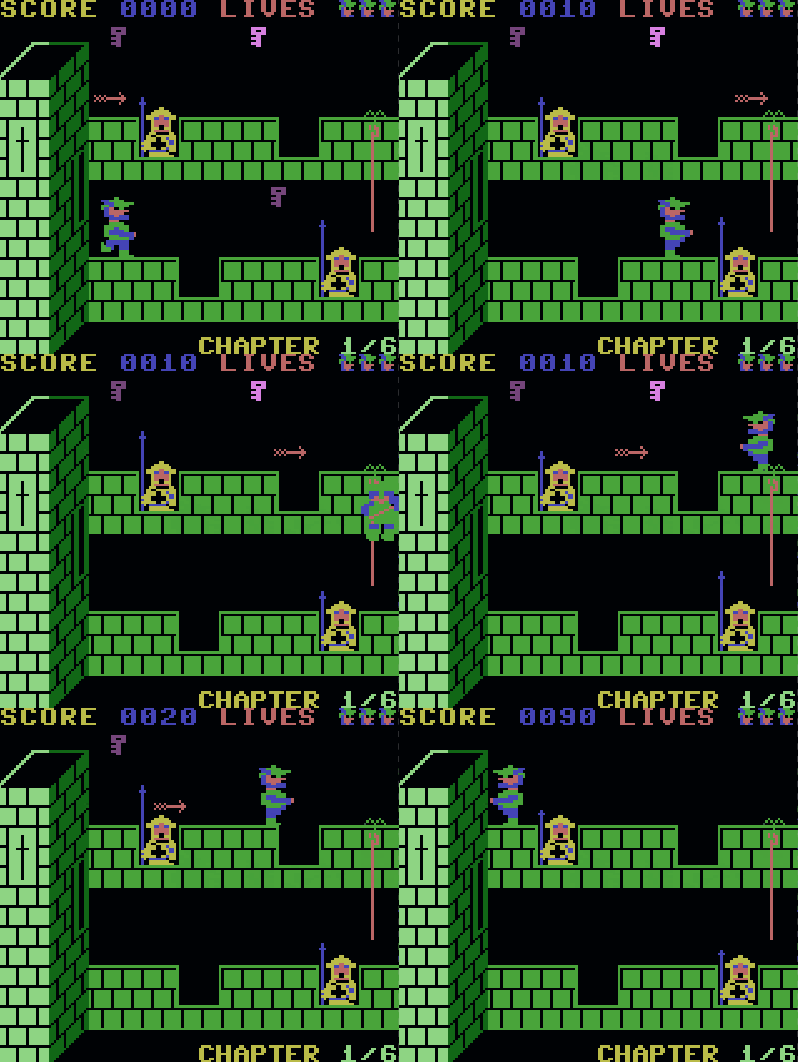
Play Robin to the Rescue online on Game Boy Color. Guide Robin through Nottingham Castle to rescue Marian in Robin to the Rescue. Climb the walls and battlements, avoid guards and collect keys along the route, turning careful jumping into a way through each chapter.
Browser play
Game Boy Color (GBC) — EmulatorJS controls
Default Player 1 keyboard mapping. Change keys in Controller Settings.
| Console button | Keyboard |
|---|---|
| ↑ / ↓ / ← / → | ↑ / ↓ / ← / → |
| A / B | Z / X |
| START / SELECT | Enter / V |
Open Controller Settings to configure your keyboard or gamepad. Touch controls are available on mobile.
How to Play Robin to the Rescue
Quick start
Press START, move with the D-pad and practise A jump. Follow the first visible key while watching the landing and nearby guards.
Controls
START begins, D-pad moves Robin and A jumps. Keep the next foothold and a way back in view while approaching keys and crossing castle obstacles.
Robin to the Rescue — About this game
Begin with the first short crossing and learn how much room A jumping needs. Check the next foothold before moving toward a key, since a guard can make the return route unsafe. Finishing with more lives also improves the chapter bonus, so a steady route can be more useful than rushing.
Cheats
No cheats have been added for this edition.
Player verification and sources
Browser play was reviewed before this edition was published in the catalogue. The date below is the catalogue publication date, not the game’s original release date.
- Browser test and catalogue publication date
- Browsers and devices
- PC: Chrome, Edge and Firefox. Mobile: Chrome on Android and Safari on iPhone and iPad.
- Player engine and core
- EmulatorJS 4.3.0-pre · gb
- Tested by
- rwEmulator
Sources and editorial basis
rwEmulator reviews edition metadata, release information, game manuals and first-hand browser-play notes. Available manuals are linked below; the editorial policy explains how facts are checked and corrections are handled.