More browsing paths
Play Rockman (Aftermarket / Homebrew · World edition · English) Online
Rockman
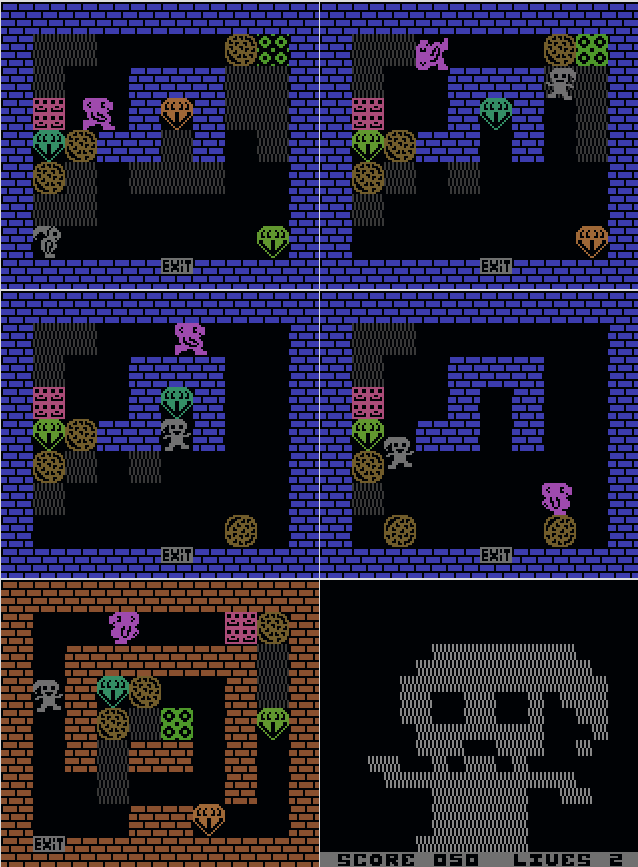
Play Rockman online on Game Boy Color. Guide miner Ricky Rockman through a diamond-filled underground challenge in this homebrew remake. Plan the path beneath rocks, collect diamonds and watch hostile creatures before opening a route that could leave the miner trapped.
Browser play
Game Boy Color (GBC) — EmulatorJS controls
Default Player 1 keyboard mapping. Change keys in Controller Settings.
| Console button | Keyboard |
|---|---|
| ↑ / ↓ / ← / → | ↑ / ↓ / ← / → |
| A / B | Z / X |
| START / SELECT | Enter / V |
Open Controller Settings to configure your keyboard or gamepad. Touch controls are available on mobile.
How to Play Rockman
Quick start
Press START, move with the D-pad and collect a reachable diamond. Observe the surrounding rocks before digging a longer route.
Controls
START begins, D-pad moves Ricky and SELECT pauses. Plan around falling stones and approaching creatures; this mining game uses movement rather than an arm-cannon attack layout.
Rockman — About this game
Begin with a short safe collection route and observe what happens when supporting ground is removed beneath a stone. A nearby diamond is useful only if you can leave afterward. Move one step at a time around loose rocks, keeping another exit available instead of digging every passage immediately.
Cheats
No cheats have been added for this edition.
Player verification and sources
Browser play was reviewed before this edition was published in the catalogue. The date below is the catalogue publication date, not the game’s original release date.
- Browser test and catalogue publication date
- Browsers and devices
- PC: Chrome, Edge and Firefox. Mobile: Chrome on Android and Safari on iPhone and iPad.
- Player engine and core
- EmulatorJS 4.3.0-pre · gb
- Tested by
- rwEmulator
Sources and editorial basis
rwEmulator reviews edition metadata, release information, game manuals and first-hand browser-play notes. Available manuals are linked below; the editorial policy explains how facts are checked and corrections are handled.