More browsing paths
Play Saiyuuki World (Japan edition · Japanese) Online
Saiyuuki World
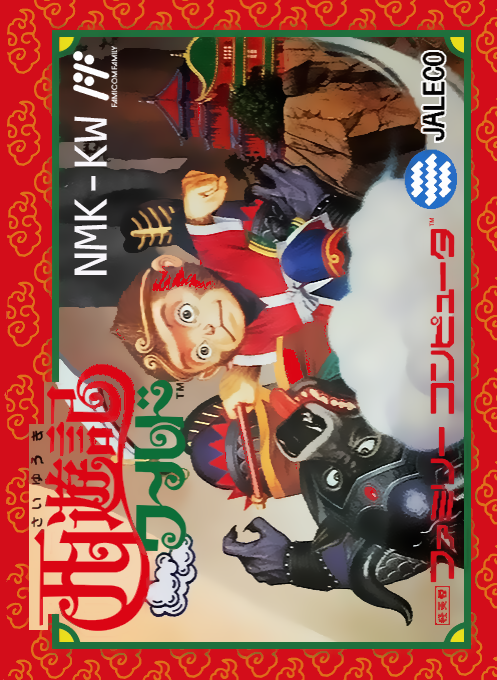
Play Journey to the West World online. Defeat enemies with Goku, collect money and strengthen your equipment. Use Kintan and magic to challenge the Ushimaou in 11 stages.
Browser play
Nintendo Entertainment System (NES) / Famicom — EmulatorJS controls
Default Player 1 keyboard mapping. Change keys in Controller Settings.
| Console button | Keyboard |
|---|---|
| ↑ / ↓ / ← / → | ↑ / ↓ / ← / → |
| A / B | Z / X |
| START / SELECT | Enter / V |
Open Controller Settings to configure your keyboard or gamepad. Touch controls are available on mobile.
How to Play Saiyuuki World
Quick start
Press START on the title to begin, then press UP in front of the first building to enter and receive the weapon and gold red. Jump with A, attack with B, and collect money from enemies and hidden places. Check out shields and armor at the store. You can view your belongings with SELECT. After the game is over, return to the title and press START while holding DOWN to continue from that round, keeping your equipment and money.
Controls
Left and right: Move. Above: Enter buildings and doors, climb ladders. Down: Climb down the ladder and use the sub-weapons and magic tools you obtained. A: Jump. B: Attack with weapon. SELECT: Displays the status of equipment, tools, etc. START: Start, pause. Title down + START: Continue. Equipment will be reflected at the time of acquisition, and there is no need to manually equip it on the SELECT screen.
Saiyuuki World — About this game
It's a side-scrolling action game in which you play as Goku and travel around buildings and caves to save monks who have been captured by the Bull Demon King. In addition to defeating enemies with your sword and advancing, your strategy will be supported by finding hidden money and buying shields and armor at stores. You can receive weapons and gold red at the first building, so it's important not to take detours or run ahead. Kintan will help you when you run out of energy, and if you buy a magic tool, you can use it by typing below. You can check the status of your equipment and tools by selecting SELECT, and the equipment you have obtained will be reflected without you having to change it yourself. Progress through 11 stages through a combination of shopping, exploration, and enemy closeness.
Cheats
No cheats have been added for this edition.
Player verification and sources
Browser play was reviewed before this edition was published in the catalogue. The date below is the catalogue publication date, not the game’s original release date.
- Browser test and catalogue publication date
- Browsers and devices
- PC: Chrome, Edge and Firefox. Mobile: Chrome on Android and Safari on iPhone and iPad.
- Player engine and core
- EmulatorJS 4.3.0-pre · nes
- Tested by
- rwEmulator
Sources and editorial basis
rwEmulator reviews edition metadata, release information, game manuals and first-hand browser-play notes. Available manuals are linked below; the editorial policy explains how facts are checked and corrections are handled.