More browsing paths
Play Samurai Sword (Japan edition · Japanese) Online
Samurai Sword
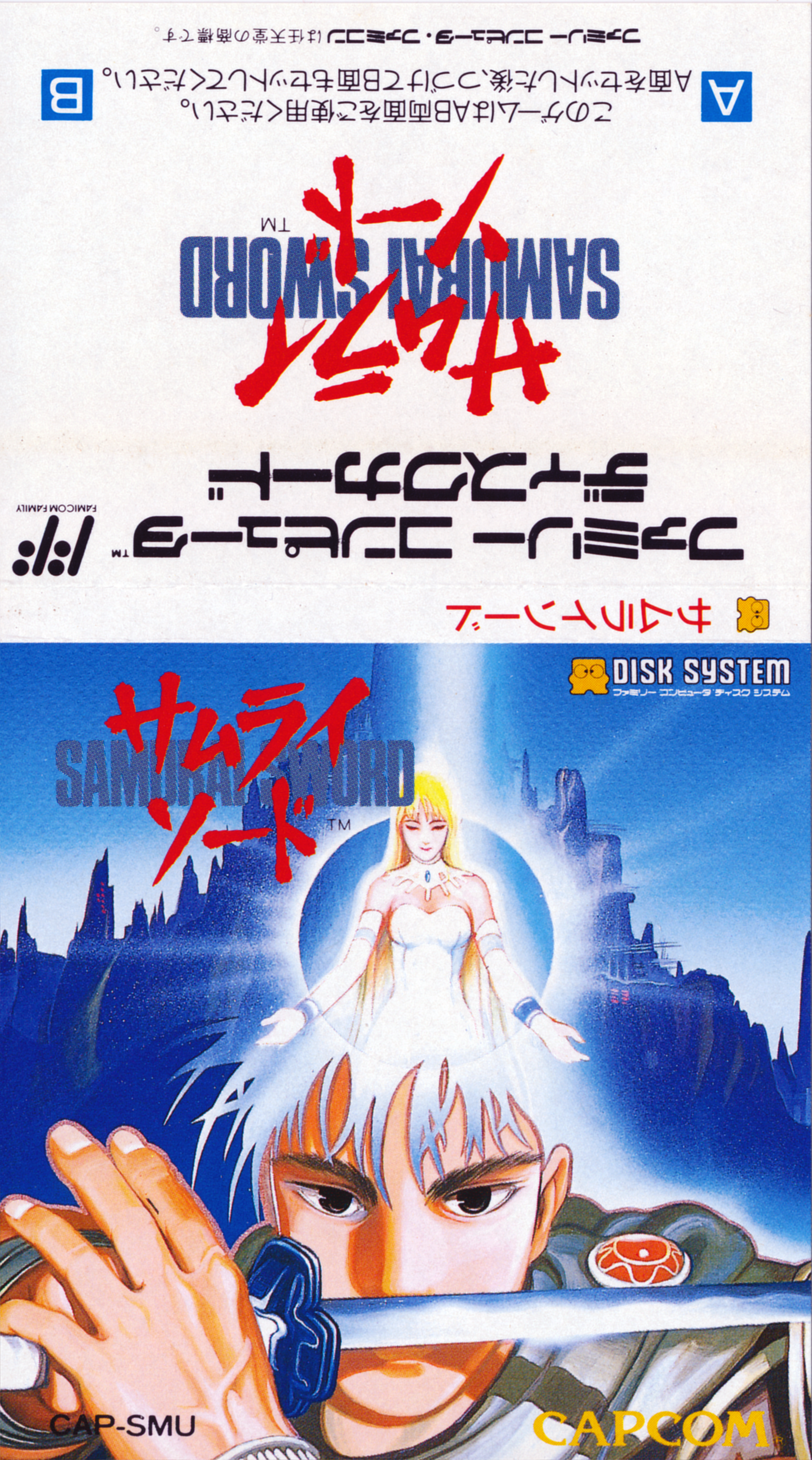
Play FDS "Samurai Sword" online. Choose commands to explore forests and ancient cities, find Thalia and the legendary holy sword, and take on the dark priest Solon.
Browser play
Nintendo Entertainment System (NES) / Famicom — EmulatorJS controls
Default Player 1 keyboard mapping. Change keys in Controller Settings.
| Console button | Keyboard |
|---|---|
| ↑ / ↓ / ← / → | ↑ / ↓ / ← / → |
| A / B | Z / X |
| START / SELECT | Enter / V |
Open Controller Settings to configure your keyboard or gamepad. Touch controls are available on mobile.
How to Play Samurai Sword
Quick start
Start the game with START, carefully look at the displayed scene, select a command with the four-way controller, and confirm with A. Use A for conversations and explanations, and use B to return to your selection. The first battle against Solon cannot be won with a normal sword, so follow the instructions in the story to move to the forest and try "Talking" several times on the person. When you find something new, use the words ``miru'', ``investigate'', and ``take'', and use the words ``miru'', ``investigate'', and ``take'', and use the words ``objects'' for related people and devices. Once you have made progress, save with START and follow the on-screen instructions to replace the disk surface.
Controls
D-pad: Select command. A button: Confirm the selected command, send a message. B button: Cancel selection. START: Start game, save. SELECT: Used on the registration screen. Normal scenes are command-based, and actions such as movement, conversation, investigation, acquisition, use of items and magic, and battle are selected with the cross pad and executed with A. To replace the disc surface, follow the instructions on the game screen, and the emulator-specific replacement key will not be guessed here.
Samurai Sword — About this game
"Samurai Sword" is a command selection adventure game released by Capcom for FDS. The heroes who challenged the priest Solon, who was trying to cover the world in darkness, were defeated, and the only remaining warrior became the main character. Since Solon's barrier cannot be broken directly, he recruits Saria, a magician of light who hides in the forest, and searches for the legendary Samurai Sword while touring deserts, magic cities, cities of ancient science, and floating temples. The story progresses by selecting commands such as ``Look,'' ``Speak,'' ``Take,'' ``Use,'' and ``Fight'' on each screen, and use the acquired swords, axes, orbs, spell books, etc. on people and places correctly. With the help of Saria's magic and ancient weapons, they finally break the seal on the holy sword and head out for a decisive battle with Solon.
Cheats
No cheats have been added for this edition.
Player verification and sources
Browser play was reviewed before this edition was published in the catalogue. The date below is the catalogue publication date, not the game’s original release date.
- Browser test and catalogue publication date
- Browsers and devices
- PC: Chrome, Edge and Firefox. Mobile: Chrome on Android and Safari on iPhone and iPad.
- Player engine and core
- EmulatorJS 4.3.0-pre · nes
- Tested by
- rwEmulator
Sources and editorial basis
rwEmulator reviews edition metadata, release information, game manuals and first-hand browser-play notes. Available manuals are linked below; the editorial policy explains how facts are checked and corrections are handled.