More browsing paths
Play Santa Claus no Takarabako (Japan edition · Japanese) Online
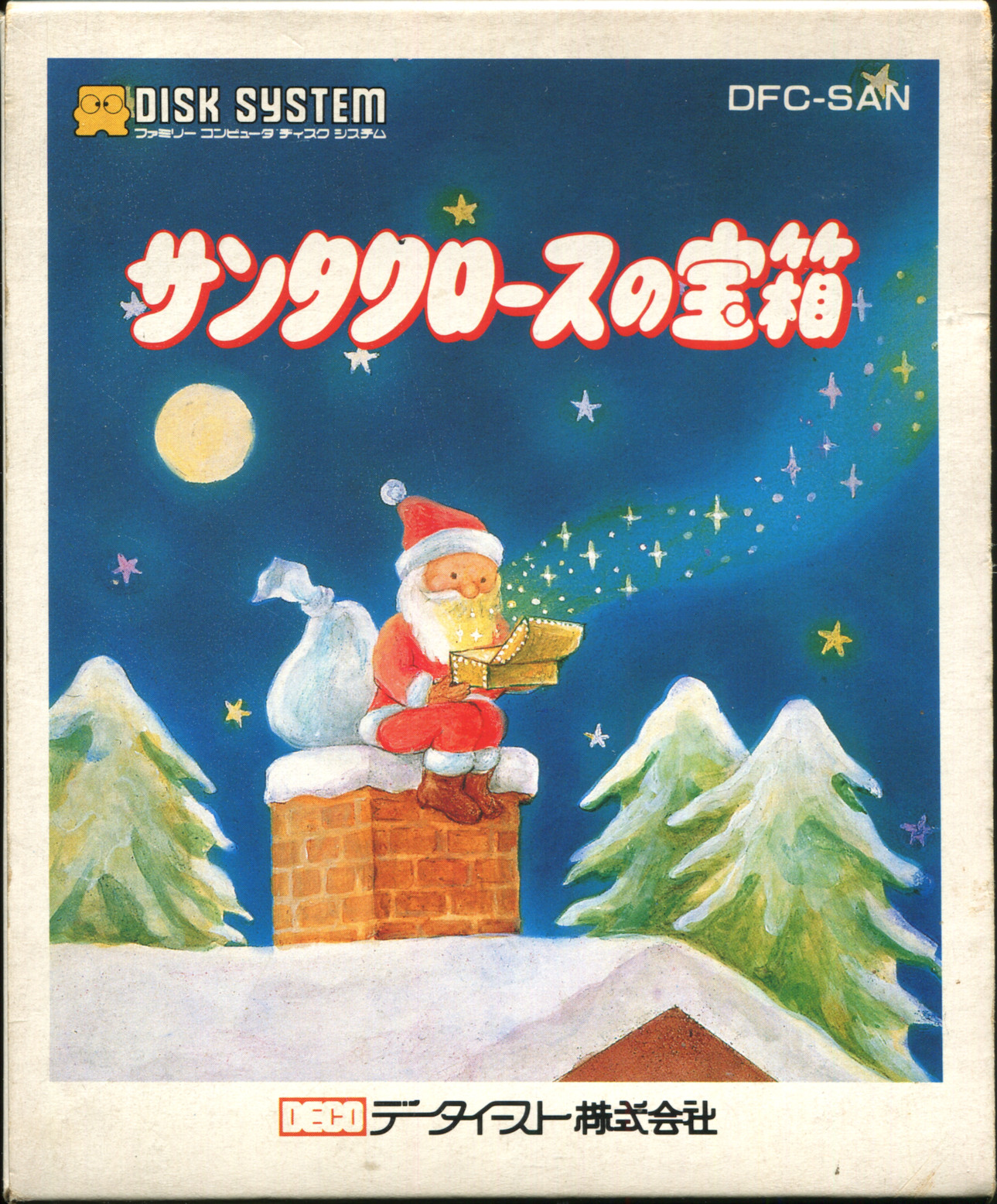
Santa Claus no Takarabako
Play Santa Claus' Treasure Box online. Make Christmas cards with messages and pictures, and enjoy four games such as bingo and roulette. You can also check mode selection and operation.
Browser play
Nintendo Entertainment System (NES) / Famicom — EmulatorJS controls
Default Player 1 keyboard mapping. Change keys in Controller Settings.
| Console button | Keyboard |
|---|---|
| ↑ / ↓ / ← / → | ↑ / ↓ / ← / → |
| A / B | Z / X |
| START / SELECT | Enter / V |
Open Controller Settings to configure your keyboard or gamepad. Touch controls are available on mobile.
How to Play Santa Claus no Takarabako
Quick start
Start from side A and switch to side B when prompted to "SET SIDE B." While the message is displayed, press SELECT to advance to the title, select X'MAS CARD or PARTY GAMES with SELECT, and confirm with START. For cards, use the D-pad and A to open items such as MESSAGE and edit the text and background. After confirming with RUN, select YES of SAVE. Switch the party to side A with the command "SET SIDE A", select the type to play with SELECT and START, and press A to start drawing and spinning.
Controls
SELECT: Select title mode, return to initial screen from card editing, select party type/return from game. START: Open the selected mode or game. When editing a card, use the cross keys to select an item or character, and press A to confirm. START while inputting MESSAGE moves the pencil cursor line by line. To edit SANTA, draw with the cross key and A, select color with START, set color with B+A, and switch between SANTA/USER'S with B+START. The four party games proceed with A, the bingo START is number arrangement, and the slot START is resetting the drum. It is not treated as a normal pose operation.
Santa Claus no Takarabako — About this game
``Santa Claus' Treasure Box'' is a Famicom Disk System software that brightens up Christmas gatherings. When creating a card, you can enter the name of the recipient and yourself, as well as a message, select a background picture and music, and even change the appearance of Santa into your own character. This is a mechanism to check the finished product with RUN and record it to a disc with SAVE. Other modes include Bingo, Roulette, Slot Machines, and Poker Dice. For bingo, you check the numbers with cards in hand, and for roulette, you prepare sheets and chips, so instead of a match that can be completed only on the screen, it supports the play of the people gathered. Poker dice are also used to determine points, so participants should discuss preparations and rules with each other and have fun.
Cheats
No cheats have been added for this edition.
Player verification and sources
Browser play was reviewed before this edition was published in the catalogue. The date below is the catalogue publication date, not the game’s original release date.
- Browser test and catalogue publication date
- Browsers and devices
- PC: Chrome, Edge and Firefox. Mobile: Chrome on Android and Safari on iPhone and iPad.
- Player engine and core
- EmulatorJS 4.3.0-pre · nes
- Tested by
- rwEmulator
Sources and editorial basis
rwEmulator reviews edition metadata, release information, game manuals and first-hand browser-play notes. Available manuals are linked below; the editorial policy explains how facts are checked and corrections are handled.