More browsing paths
Play Sarah - Keeper of the Unicorn (US edition · English / Spanish) Online
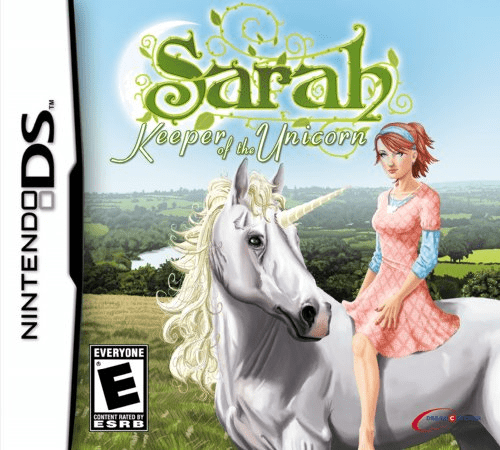
Sarah - Keeper of the Unicorn
Play Sarah - Keeper of the Unicorn online. Care for the farm, ride a unicorn and gather diamond fragments in enchanted temples. See the Nintendo DS starting guide and controls.
Browser play
Nintendo DS (NDS) — EmulatorJS controls
Default Player 1 keyboard mapping. Change keys in Controller Settings.
| Console button | Keyboard |
|---|---|
| ↑ / ↓ / ← / → | ↑ / ↓ / ← / → |
| A / B / X / Y | Z / X / A / S |
| L / R | Q / E |
| START / SELECT | Enter / V |
| Microphone | Not assigned |
Open Controller Settings to configure your keyboard or gamepad. Touch controls are available on mobile.
How to Play Sarah - Keeper of the Unicorn
Quick start
Complete the opening farm tasks and learn how goods support supplies. Then follow the unicorn's journey toward the first temple, watching energy and returning to prepare when needed.
Controls
Use the D-pad to move Sarah and the touch screen for farm and village options. Follow the displayed stylus pattern for a spell. Read the current task and check the unicorn's energy before setting out again.
Sarah - Keeper of the Unicorn — About this game
Sarah's adventure connects the work on her uncle's farm with a journey to save a magical forest. Feed and care for animals, manage the harvest and trade goods for resources needed for the unicorn and magic. The forest journey leads to temples and four diamond fragments that can close a dark portal. Begin with the farm's first requests before expecting the unicorn expedition immediately. When its magical energy runs low, return and prepare again rather than ignoring the care loop. The DS mixes directional movement with touch-based farm choices and spell activities, making supplies and exploration part of the same adventure.
Sarah - Keeper of the Unicorn Game manuals
Cheats
No cheats have been added for this edition.
Player verification and sources
Browser play was reviewed before this edition was published in the catalogue. The date below is the catalogue publication date, not the game’s original release date.
- Browser test and catalogue publication date
- Browsers and devices
- PC: Chrome, Edge and Firefox. Mobile: Chrome on Android and Safari on iPhone and iPad.
- Player engine and core
- EmulatorJS 4.3.0-pre · nds
- Tested by
- rwEmulator
Sources and editorial basis
rwEmulator reviews edition metadata, release information, game manuals and first-hand browser-play notes. Available manuals are linked below; the editorial policy explains how facts are checked and corrections are handled.