More browsing paths
Play Scribblenauts (US edition · English / French / Spanish / Portuguese) Online
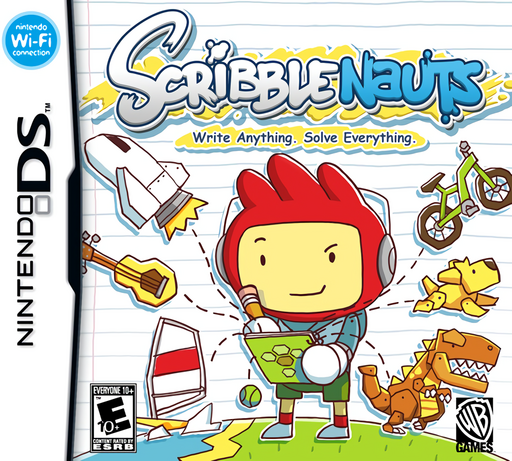
Scribblenauts
Play Scribblenauts online. Write an object’s name, bring it into the level and guide Maxwell through puzzles to collect Starites. Learn how to start and use the original Nintendo DS controls.
Browser play
Nintendo DS (NDS) — EmulatorJS controls
Default Player 1 keyboard mapping. Change keys in Controller Settings.
| Console button | Keyboard |
|---|---|
| ↑ / ↓ / ← / → | ↑ / ↓ / ← / → |
| A / B / X / Y | Z / X / A / S |
| L / R | Q / E |
| START / SELECT | Enter / V |
| Microphone | Not assigned |
Open Controller Settings to configure your keyboard or gamepad. Touch controls are available on mobile.
How to Play Scribblenauts
Quick start
On the opening playground, tap the large START star to reach the profile screen. Create a profile, enter a name and follow the University tutorials. Practice tapping empty ground to move Maxwell and dragging objects into position. When the Notepad lesson appears, enter the requested object with the on-screen keyboard or handwriting input, confirm it, then place it in the scene.
Controls
Tap an empty location on the touch screen to move Maxwell there. Drag an object to place or reposition it; tap an object to interact or equip it, then tap a target to use the equipped item. The upper-right Notepad icon opens word entry. The Control Pad or face buttons scroll the camera rather than move Maxwell. L/R rotate objects that support rotation, and START opens or closes the pause menu.
Scribblenauts — About this game
Maxwell’s notebook turns recognized words into objects that you can place, equip and combine to solve small, self-contained challenges. A bridge, a tool or a creature can change how a scene unfolds, so success depends on thinking about what an object does rather than finding a single marked item. Puzzle stages ask you to meet a situation’s objective, while action stages focus on reaching the Starite through hazards. The original DS game uses touch commands to move Maxwell as well as handle objects. Its playground gives you a place to experiment, and the on-screen object meter keeps each scene from becoming overcrowded.
Scribblenauts Game manuals
Cheats
No cheats have been added for this edition.
Player verification and sources
Browser play was reviewed before this edition was published in the catalogue. The date below is the catalogue publication date, not the game’s original release date.
- Browser test and catalogue publication date
- Browsers and devices
- PC: Chrome, Edge and Firefox. Mobile: Chrome on Android and Safari on iPhone and iPad.
- Player engine and core
- EmulatorJS 4.3.0-pre · nds
- Tested by
- rwEmulator
Sources and editorial basis
rwEmulator reviews edition metadata, release information, game manuals and first-hand browser-play notes. Available manuals are linked below; the editorial policy explains how facts are checked and corrections are handled.