More browsing paths
Play SD Gundam World: Gachapon Senshi 2 - Capsule Senki (Japan edition · Japanese) Online
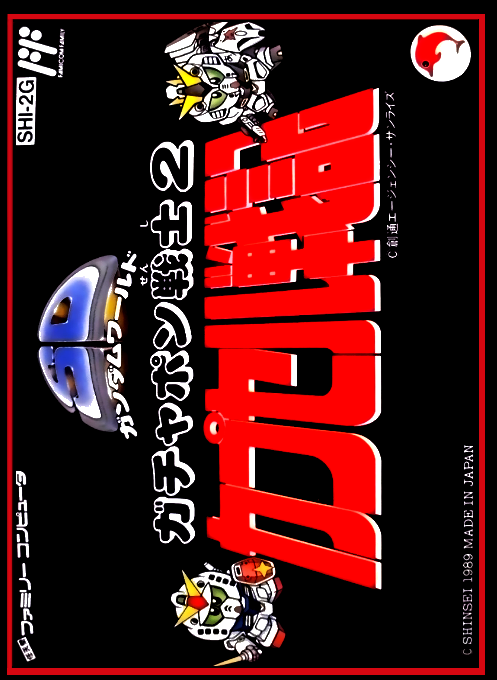
SD Gundam Gachapon Senshi 2: Capsule Senki
Play SD Gundam Gachapon Senshi 2 online. Expand the front by producing MS and occupying bases, and enter into one-on-one action battles. Try to conquer enemy capitals on 30 different maps.
Browser play
Nintendo Entertainment System (NES) / Famicom — EmulatorJS controls
Default Player 1 keyboard mapping. Change keys in Controller Settings.
| Console button | Keyboard |
|---|---|
| ↑ / ↓ / ← / → | ↑ / ↓ / ← / → |
| A / B | Z / X |
| START / SELECT | Enter / V |
Open Controller Settings to configure your keyboard or gamepad. Touch controls are available on mobile.
How to Play SD Gundam World: Gachapon Senshi 2 - Capsule Senki
Quick start
Select a new match, select the page with left and right in the map selection, select the map with the top and bottom, and start. On the setting screen, use the direction keys to select OFFICER, FORCE, MONEY, change with A/B, and start with START. First, move the cursor to your own MS, press A, select your destination, and press A to move. When you come into contact with an enemy, select MANU or AUTO using the top and bottom buttons, and start the battle with the first person's START button.
Controls
On the map, use the direction keys to move the cursor, press A to select a unit and confirm the destination, and press B to cancel before confirmation. For battleships, press A to bring up the command icon and select movement or bombardment. A+B on the map allows you to pass your turn, and SELECT allows you to save or change officers. In battle, use the direction keys to move the aircraft, A is weapon 1, B is weapon 2, A + B is weapon 3 or transformation. The weapons that can be used differ depending on the aircraft, and START pauses the battle.
SD Gundam World: Gachapon Senshi 2 - Capsule Senki — About this game
The Blue Army and Red Army take turns issuing orders and moving MS and battleships to expand the front. You can use 12 commands in one turn, so prioritizing occupation, supply, and production is important. The terrain has differences in ease of movement and income, and the use of amphibious aircraft and battleships also changes. When you make contact with an enemy, you will enter a 60-second action battle, where each aircraft uses different weapons to drain the enemy's energy. It is also possible to leave the battle to automatic operation. Choose a map and initial force, and aim to capture the enemy's capital from both strategy and aircraft control.
Cheats
No cheats have been added for this edition.
Player verification and sources
Browser play was reviewed before this edition was published in the catalogue. The date below is the catalogue publication date, not the game’s original release date.
- Browser test and catalogue publication date
- Browsers and devices
- PC: Chrome, Edge and Firefox. Mobile: Chrome on Android and Safari on iPhone and iPad.
- Player engine and core
- EmulatorJS 4.3.0-pre · nes
- Tested by
- rwEmulator
Sources and editorial basis
rwEmulator reviews edition metadata, release information, game manuals and first-hand browser-play notes. Available manuals are linked below; the editorial policy explains how facts are checked and corrections are handled.