More browsing paths
Play Norimono Studio - Go Go! Norista AsobiMacho! (Japan edition) Online
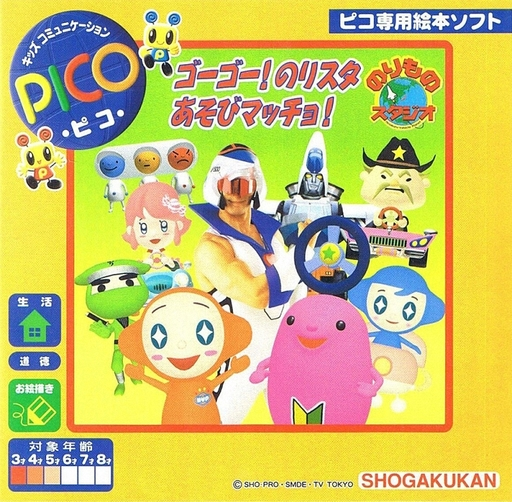
Norimono Studio - Go Go! Norista AsobiMacho!
Play Norimono Studio - Go Go! Norista AsobiMacho! online. Explore the vehicle world of Go Go Norista.
Browser play
Sega Pico — EmulatorJS controls
Default Player 1 keyboard mapping. Change keys in Controller Settings.
| Console button | Keyboard |
|---|---|
| ↑ / ↓ / ← / → | ↑ / ↓ / ← / → |
| Red button | X |
| Pen button | Z |
| Pen on pad | A |
| Pen on book | S |
| Pen up / down | Enter |
| Previous / next page | Q / E |
Open Controller Settings to configure your keyboard or gamepad. Touch controls are available on mobile.
Use the direction keys to move the pen after selecting pad or book mode. Toggle pen up/down to draw or select; use the page buttons to turn Storyware pages.
How to Play Norimono Studio - Go Go! Norista AsobiMacho!
Quick start
Open the first scene, listen to the introduction and select a character or object to begin an activity.
Controls
Use the Pico pen to point and press the tip to select. Change the Storyware page to switch scenes; follow the active activity’s input prompts.
Norimono Studio - Go Go! Norista AsobiMacho! — About this game
Go Go Norista makes vehicles the subject of picture-book play. Notice how the vehicles look and what gives each one its identity, then follow the characters into a transport-themed activity.
Norimono Studio - Go Go! Norista AsobiMacho! Game manuals
Cheats
No cheats have been added for this edition.
Player verification and sources
Browser play was reviewed before this edition was published in the catalogue. The date below is the catalogue publication date, not the game’s original release date.
- Browser test and catalogue publication date
- Browsers and devices
- PC: Chrome, Edge and Firefox. Mobile: Chrome on Android and Safari on iPhone and iPad.
- Player engine and core
- EmulatorJS 4.3.0-pre · picodrive
- Tested by
- rwEmulator
Sources and editorial basis
rwEmulator reviews edition metadata, release information, game manuals and first-hand browser-play notes. Available manuals are linked below; the editorial policy explains how facts are checked and corrections are handled.