More browsing paths
Play Bomb Jack (South Korea edition · English · Edition 143506) Online
Bomb Jack
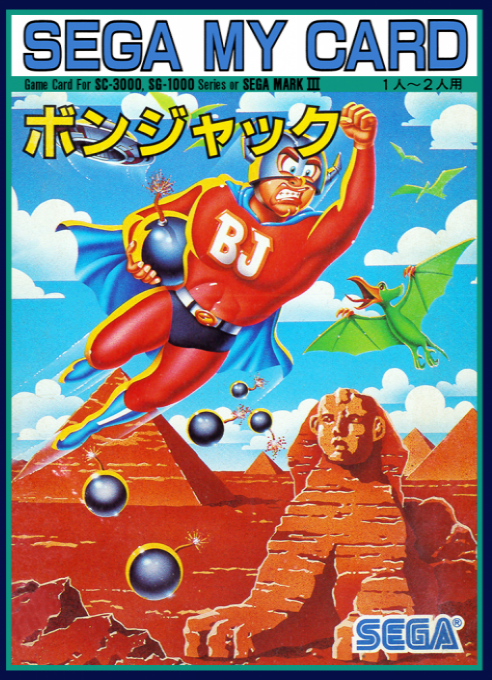
Play Bomb Jack online on SG-1000. Collect every red bomb while avoiding birds and mummies. Jack can jump high and control his descent.
Browser play
Sega SG-1000 — EmulatorJS controls
Default Player 1 keyboard mapping. Change keys in Controller Settings.
| Console button | Keyboard |
|---|---|
| ↑ / ↓ / ← / → | ↑ / ↓ / ← / → |
| 1 / 2 | X / Z |
Open Controller Settings to configure your keyboard or gamepad. Touch controls are available on mobile.
How to Play Bomb Jack
Quick start
Start from the title screen. Move with the directional control and press button 1 to jump between platforms, collecting every red bomb while avoiding birds and mummies.
Controls
Button 1: jump. Use the directional control to move. Use the jump action to reach platforms and avoid enemies.
Bomb Jack — About this game
Jack must collect every red bomb scattered across platforms at different heights. His high jump and control during descent let you adjust the route between those ledges, but birds and mummies can interrupt a landing and cost a life. Plan the collection order around where the enemies are moving: clearing a difficult group of bombs is useful only if Jack still has somewhere safe to come down. The round is completed by taking the remaining bombs, so keep returning your attention to the platforms that still hold them.
Bomb Jack Game manuals
Cheats
No cheats have been added for this edition.
Player verification and sources
Browser play was reviewed before this edition was published in the catalogue. The date below is the catalogue publication date, not the game’s original release date.
- Browser test and catalogue publication date
- Browsers and devices
- PC: Chrome, Edge and Firefox. Mobile: Chrome on Android and Safari on iPhone and iPad.
- Player engine and core
- EmulatorJS 4.3.0-pre · genesis_plus_gx
- Tested by
- rwEmulator
Sources and editorial basis
rwEmulator reviews edition metadata, release information, game manuals and first-hand browser-play notes. Available manuals are linked below; the editorial policy explains how facts are checked and corrections are handled.