More browsing paths
Play Chack'n Pop (Japan edition) Online
Chack'n Pop
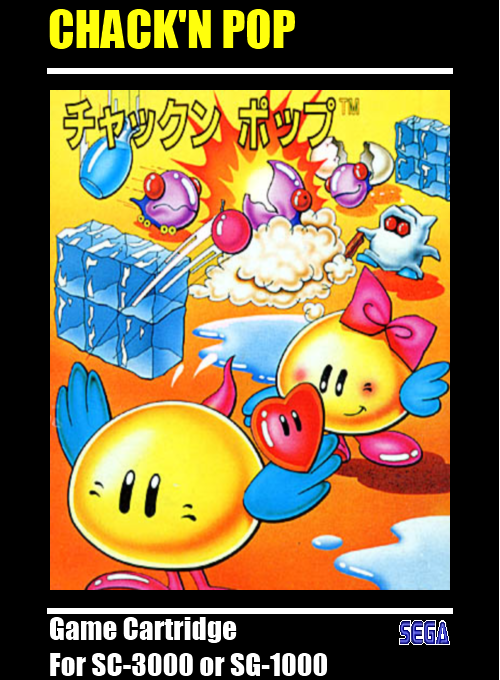
Play Chack'n Pop online on SG-1000. Use bombs to free the captive hearts and defeat the monsters. Eggs hatch as time passes, so the route becomes more dangerous.
Browser play
Sega SG-1000 — EmulatorJS controls
Default Player 1 keyboard mapping. Change keys in Controller Settings.
| Console button | Keyboard |
|---|---|
| ↑ / ↓ / ← / → | ↑ / ↓ / ← / → |
| 1 / 2 | X / Z |
Open Controller Settings to configure your keyboard or gamepad. Touch controls are available on mobile.
How to Play Chack'n Pop
Quick start
Start from the title screen. Press button 1 to throw a bomb left or button 2 to throw one right. Use bombs to free the captive hearts and defeat the monsters before more eggs hatch.
Controls
Button 1: throw a bomb left; button 2: throw a bomb right.
Chack'n Pop — About this game
Bombs free the captive hearts and deal with monsters in a maze that grows more dangerous as time passes. The suspended eggs change from blue through yellow to red as they approach hatching, giving an early warning of new enemies. A heart released from its cage rises upward and opens the blocked exit. The route must therefore account for both the rescue and the blast: reach the cages without letting the egg cycle or the time limit close off the chance to escape.
Chack'n Pop Game manuals
Cheats
No cheats have been added for this edition.
Player verification and sources
Browser play was reviewed before this edition was published in the catalogue. The date below is the catalogue publication date, not the game’s original release date.
- Browser test and catalogue publication date
- Browsers and devices
- PC: Chrome, Edge and Firefox. Mobile: Chrome on Android and Safari on iPhone and iPad.
- Player engine and core
- EmulatorJS 4.3.0-pre · genesis_plus_gx
- Tested by
- rwEmulator
Sources and editorial basis
rwEmulator reviews edition metadata, release information, game manuals and first-hand browser-play notes. Available manuals are linked below; the editorial policy explains how facts are checked and corrections are handled.