More browsing paths
Play Doom (Japan / US edition · English · Edition 142704) Online
Doom
Play Doom online. Press Start and choose a skill level. Explore the first rooms, collect supplies and press C at doors and switches.
Browser play
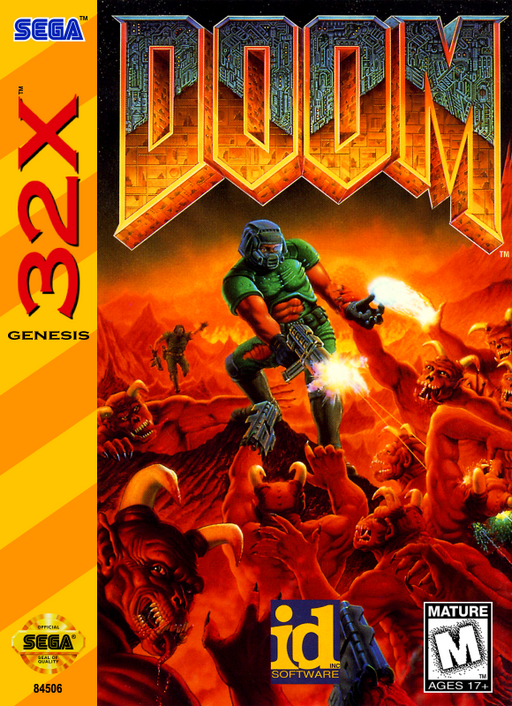
Sega 32X — EmulatorJS controls
Default Player 1 keyboard mapping. Change keys in Controller Settings.
| Console button | Keyboard |
|---|---|
| ↑ / ↓ / ← / → | ↑ / ↓ / ← / → |
| A / B / C | S / X / Z |
| X / Y / Z | Q / A / E |
| START / MODE | Enter / V |
Open Controller Settings to configure your keyboard or gamepad. Touch controls are available on mobile.
How to Play Doom
Quick start
Press Start and choose a skill level. Explore the first rooms, collect supplies and press C at doors and switches.
Controls
D-pad: move/turn; hold A while moving: run; B: fire; C: use doors/switches; hold C with left/right: strafe. 6-button pad: X/Y cycle weapons, Z shows map. Start: pause.
Doom — About this game
Development build. Fight through demon-infested corridors in the 32X version of Doom. Search rooms for ammunition, armour and coloured keys, then find the switches and exits that connect each area. Managing supplies and checking unexplored passages matter as much as shooting; this edition has its own reduced selection of levels.
Doom Game manuals
Cheats
No cheats have been added for this edition.
Player verification and sources
Browser play was reviewed before this edition was published in the catalogue. The date below is the catalogue publication date, not the game’s original release date.
- Browser test and catalogue publication date
- Browsers and devices
- PC: Chrome, Edge and Firefox. Mobile: Chrome on Android and Safari on iPhone and iPad.
- Player engine and core
- EmulatorJS 4.3.0-pre · sega32x
- Tested by
- rwEmulator
Sources and editorial basis
rwEmulator reviews edition metadata, release information, game manuals and first-hand browser-play notes. Available manuals are linked below; the editorial policy explains how facts are checked and corrections are handled.