More browsing paths
Play Soulstar X (US edition) Online
Soulstar X
Play the Soulstar X 32X prototype online and explore Core Design’s unfinished space shooter with a view from behind the craft.
Browser play
Sega 32X — EmulatorJS controls
Default Player 1 keyboard mapping. Change keys in Controller Settings.
| Console button | Keyboard |
|---|---|
| ↑ / ↓ / ← / → | ↑ / ↓ / ← / → |
| A / B / C | S / X / Z |
| X / Y / Z | Q / A / E |
| START / MODE | Enter / V |
Open Controller Settings to configure your keyboard or gamepad. Touch controls are available on mobile.
How to Play Soulstar X
Quick start
Begin with the first playable stage. Keep moving when enemy formations approach and fire while lining up targets. Learn the first stretch before exploring the other available stages.
Controls
Use the D-pad to move the craft. Use the mapped firing action to attack.
Soulstar X — About this game
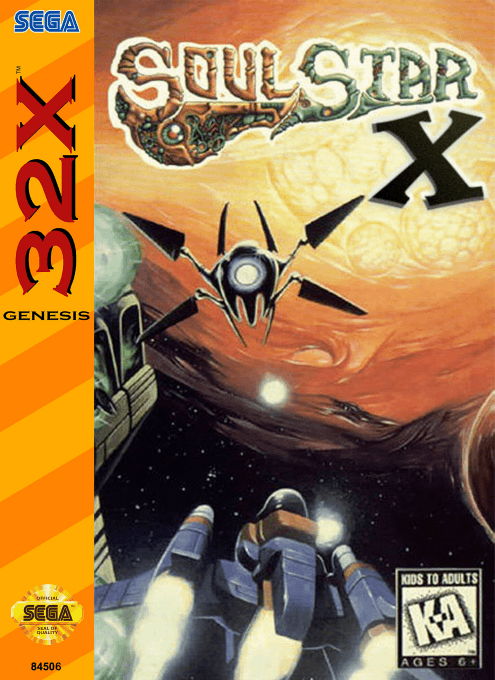
Soulstar X is the unreleased 32X reworking of Core Design’s Sega CD shooter. Its action is viewed from behind the craft, with enemies approaching along the flight path. This early prototype preserves playable first and third stages, while the second stage is only partly complete. It offers a look at the conversion in progress rather than a finished campaign: learning the approach of enemy formations and moving clear of their fire is the focus of its available action.
Soulstar X Game manuals
Cheats
No cheats have been added for this edition.
Player verification and sources
Browser play was reviewed before this edition was published in the catalogue. The date below is the catalogue publication date, not the game’s original release date.
- Browser test and catalogue publication date
- Browsers and devices
- PC: Chrome, Edge and Firefox. Mobile: Chrome on Android and Safari on iPhone and iPad.
- Player engine and core
- EmulatorJS 4.3.0-pre · sega32x
- Tested by
- rwEmulator
Sources and editorial basis
rwEmulator reviews edition metadata, release information, game manuals and first-hand browser-play notes. Available manuals are linked below; the editorial policy explains how facts are checked and corrections are handled.