More browsing paths
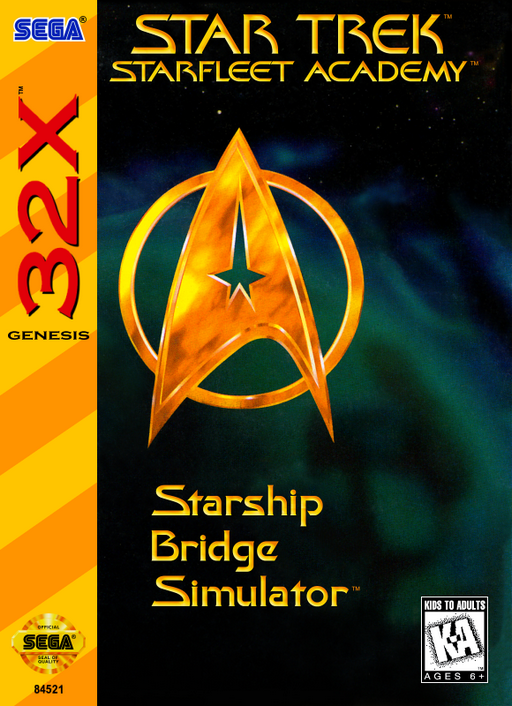
Play Star Trek - Starfleet Academy - Starship Bridge Simulator (US edition) Online
Star Trek - Starfleet Academy - Starship Bridge Simulator
Play Star Trek - Starfleet Academy - Starship Bridge Simulator online on 32X. Train as a starship commander through missions presented from the bridge.
Browser play
Sega 32X — EmulatorJS controls
Default Player 1 keyboard mapping. Change keys in Controller Settings.
| Console button | Keyboard |
|---|---|
| ↑ / ↓ / ← / → | ↑ / ↓ / ← / → |
| A / B / C | S / X / Z |
| X / Y / Z | Q / A / E |
| START / MODE | Enter / V |
Open Controller Settings to configure your keyboard or gamepad. Touch controls are available on mobile.
How to Play Star Trek - Starfleet Academy - Starship Bridge Simulator
Quick start
Press Start at the title screen. Choose Simulator for a training mission. Start with a simple exercise and learn speed control before combat.
Controls
Default controls: D-pad: steer or aim; A: decelerate; B: accelerate; C: fire phasers; A+B: launch torpedoes.
Star Trek - Starfleet Academy - Starship Bridge Simulator — About this game
Train as a starship commander through missions presented from the bridge. Starfleet Academy: Starship Bridge Simulator puts navigation, ship systems and tactical decisions together rather than treating every encounter as a simple dogfight. Read the briefing, monitor the displays and decide how to approach each situation. Quick missions also draw on scenes familiar from the films.
Star Trek - Starfleet Academy - Starship Bridge Simulator Game manuals
Cheats
No cheats have been added for this edition.
Player verification and sources
Browser play was reviewed before this edition was published in the catalogue. The date below is the catalogue publication date, not the game’s original release date.
- Browser test and catalogue publication date
- Browsers and devices
- PC: Chrome, Edge and Firefox. Mobile: Chrome on Android and Safari on iPhone and iPad.
- Player engine and core
- EmulatorJS 4.3.0-pre · sega32x
- Tested by
- rwEmulator
Sources and editorial basis
rwEmulator reviews edition metadata, release information, game manuals and first-hand browser-play notes. Available manuals are linked below; the editorial policy explains how facts are checked and corrections are handled.