More browsing paths
Play Stellar Assault (US_EU edition · Edition 142837) Online
Stellar Assault
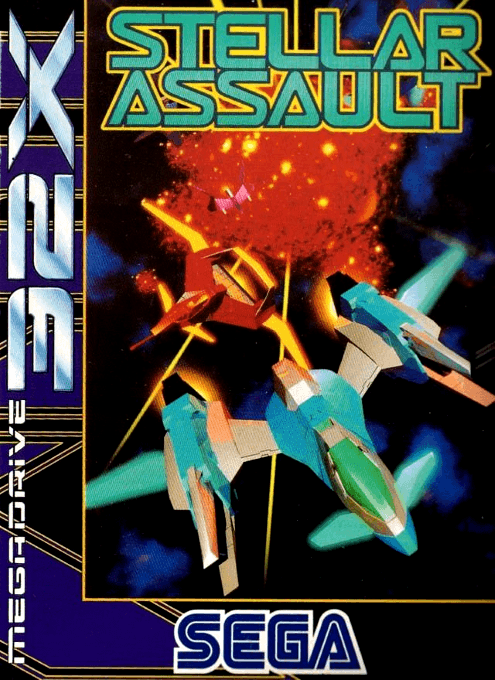
Play Stellar Assault online on 32X. Fly one of two Feather fighters through six space-combat missions against an enemy fleet.
Browser play
Sega 32X — EmulatorJS controls
Default Player 1 keyboard mapping. Change keys in Controller Settings.
| Console button | Keyboard |
|---|---|
| ↑ / ↓ / ← / → | ↑ / ↓ / ← / → |
| A / B / C | S / X / Z |
| X / Y / Z | Q / A / E |
| START / MODE | Enter / V |
Open Controller Settings to configure your keyboard or gamepad. Touch controls are available on mobile.
How to Play Stellar Assault
Quick start
Press Start at the title screen. Choose a ship and begin the first mission. Identify the separate sections of a large enemy ship and attack one at a time.
Controls
Default controls: D-pad: steer or aim; A: fire.
Stellar Assault — About this game
Development build. Fly one of two Feather fighters through six space-combat missions against an enemy fleet. Stellar Assault, also released as Shadow Squadron, lets you maneuver through polygonal environments or leave the flying to the computer and operate the guns. Large enemy ships require attacks on separate sections, so watch the target carefully and plan each approach instead of firing blindly.
Stellar Assault Game manuals
Cheats
No cheats have been added for this edition.
Player verification and sources
Browser play was reviewed before this edition was published in the catalogue. The date below is the catalogue publication date, not the game’s original release date.
- Browser test and catalogue publication date
- Browsers and devices
- PC: Chrome, Edge and Firefox. Mobile: Chrome on Android and Safari on iPhone and iPad.
- Player engine and core
- EmulatorJS 4.3.0-pre · sega32x
- Tested by
- rwEmulator
Sources and editorial basis
rwEmulator reviews edition metadata, release information, game manuals and first-hand browser-play notes. Available manuals are linked below; the editorial policy explains how facts are checked and corrections are handled.