More browsing paths
Play Shadow Brain (Japan edition · Japanese) Online
Shadow Brain
Play Famicom ``Shadow Brain'' online. Expand VDS and explore Lemuria. Introducing forward movement and turning, icon operations during normal and battle situations, and how to use HP/EP and hotels.
Browser play
Nintendo Entertainment System (NES) / Famicom — EmulatorJS controls
Default Player 1 keyboard mapping. Change keys in Controller Settings.
| Console button | Keyboard |
|---|---|
| ↑ / ↓ / ← / → | ↑ / ↓ / ← / → |
| A / B | Z / X |
| START / SELECT | Enter / V |
Open Controller Settings to configure your keyboard or gamepad. Touch controls are available on mobile.
How to Play Shadow Brain
Quick start
Select the title "START" and start with START or A. Once you get used to moving forward by pressing up, turning left or right, and facing backwards by pressing down, press A to bring up the icon, and use LOOK or TALK to check your surroundings. Use CARD when shopping and at hotels. Meals at the hotel will be HP, rest will be EP, and overnight stay will be recovery for both. Prepare weapons that don't consume EP, and search for hotels in new cities to leave in-game records.
Controls
Cross key: Up to move forward, left and right to change direction, down to turn back. A: Normal icon call and selection decision. B: Cancelled. Normally, use the four-way controller to select the main command and press A to select the subcommand, then press left or right to select the subcommand and execute it. During battle, use the D-pad to switch between main commands, B to switch between subcommands, and A to execute. SELECT switches between the map and status display at the bottom right. START starts, and during the game it displays the track number of the compatible music CD, not the normal pause button.
Shadow Brain — About this game
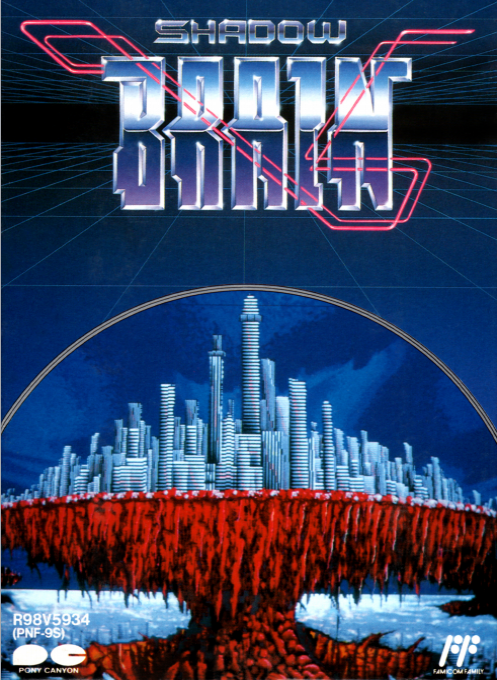
"Shadow Brain" is an SF/RPG that walks through Lemuria, which is a collection of 16 cities with different characteristics. At first, the main character's VDS is just the main body, but its range of actions expands by adding translation, communication, radar, combat programs, etc. In the city, talk to people and get ID codes to open gates and advance to the next area. In combat, you select fists, swords, guns, and tools using icons, and the effectiveness of the weapon changes depending on the opponent. If you rely on equipment that is powerful but consumes EP, you will run out of energy for recovery and programs. The main focus is on exploring to gradually strengthen yourself and VDS by setting up your HP and EP at the hotel and checking in-game communications and bulletin boards.
Cheats
No cheats have been added for this edition.
Player verification and sources
Browser play was reviewed before this edition was published in the catalogue. The date below is the catalogue publication date, not the game’s original release date.
- Browser test and catalogue publication date
- Browsers and devices
- PC: Chrome, Edge and Firefox. Mobile: Chrome on Android and Safari on iPhone and iPad.
- Player engine and core
- EmulatorJS 4.3.0-pre · nes
- Tested by
- rwEmulator
Sources and editorial basis
rwEmulator reviews edition metadata, release information, game manuals and first-hand browser-play notes. Available manuals are linked below; the editorial policy explains how facts are checked and corrections are handled.